
Key facts
Start here
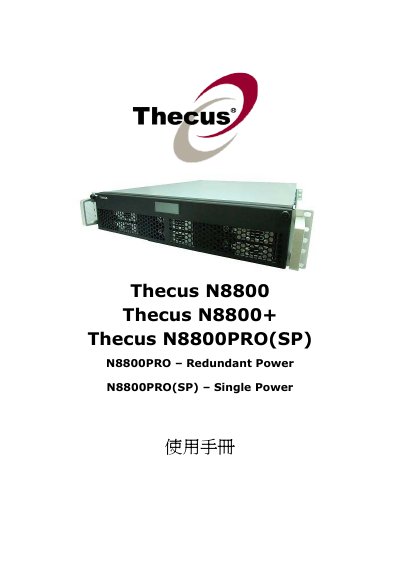
Thecus N8800/B8800+ Manual
This manual provides setup and configuration instructions for Thecus N8800, N8800PRO, and N8800+ NAS devices. It covers RAID configurations including RAID 0, 1, 5, 6, and 10. It also details iSCSI setup, user and group authentication, Windows and Apple OS X compatibility, and network management features like DHCP and DNS. The document includes firmware upgrade procedures and system monitoring tools.
Read onlineThecus N8800 specifications
| Power Input | AC 100‑240 V, 50/60 Hz, 3 A |
|---|---|
| RAID Levels Supported | RAID 0, 1, 5, 6, 10 |
| iSCSI Support | Supported for boot and storage access |
Source: Thecus N8800 User Manual
All Thecus N8800 documents by type
Day-to-day operation, settings and troubleshooting. Start here if the product is already set up.
- Thecus N8800 User Manual 112 p
- Thecus N8800 User Manual(2)
- Thecus N8800/N8800PRO(SP) Manual
- Thecus N8800 Thecus N8800+ Thecus N8800PRO(SP) Manual
- Thecus N8800/B8800+ Manual 149 p
- Thecus N8800 User Manual 111 p
- Thecus N8800 User Manual 111 p
- Thecus N8800 Thecus N8800+ Thecus N8800PRO(SP) N8800PRO Redundant Power N8800PRO(SP) Single Power Manual
- Thecus N8800 Thecus N8800PRO(SP) N8800PRO Redundant Power N8800PRO(SP) Single Power FW v3.00.08 Manual
Questions answered in these manuals
What power input does the N8800 require?
The N8800 requires an AC power source of 100‑240 V, 50/60 Hz, up to 3 A.
From: Thecus N8800 User Manual
Which RAID configurations can I create on the N8800?
You can create RAID 0, RAID 1, RAID 5, RAID 6, and RAID 10 using the RAID configuration menu in System Management.
From: Thecus N8800 User Manual
What are the power supply specifications for the Thecus N8800?
The power supply is 100V ~ 240V - 50/60 Hz.
What is the operating temperature range for the Thecus N8800?
The operating temperature range is 0°C to 40°C.
Which RAID configurations are available on the N8800?
The device supports RAID 0, RAID 1, RAID 5, RAID 6 and RAID 10, which can be set up through the RAID configuration menu.
From: Thecus N8800 User Manual
What are the power requirements for the N8800?
The unit operates from AC 100‑240 V, 50/60 Hz and draws up to 3 A.
From: Thecus N8800 User Manual