
MERCURY 7108502247 PoE Audio IR Network Camera Quick Installation Guide

This quick installation guide covers the setup, disassembly, and network configuration for the MERCURY 7108502247 PoE audio IR network camera.
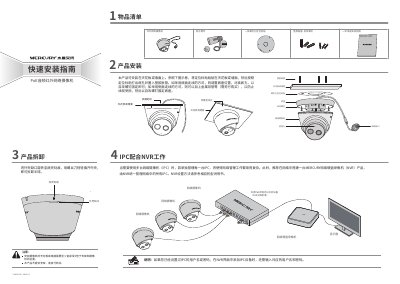

MERCURY 7108502247 PoE Audio IR Network Camera Quick Installation Guide - cover page
Brand
Mercury
Category
Other Electronics
Document type
Quick Start Guide
Language
Chinese
Pages
2
File format
PDF
File size
2.4 MB
Published
24 October, 2026
Updated
24 October, 2026
MD5 checksum
E9CB1DD55DDF33ED7E995732D1595B26

About this manual

This document serves as a quick installation guide for the MERCURY 7108502247 PoE audio IR network camera. It details the product contents, installation steps for ceiling or wall mounting, and instructions for disassembly. The guide also explains how to configure the camera to work with an NVR or a computer within a local area network (LAN). This manual is written in Chinese.

What's inside

  • Product List
  • Product Installation
  • IPC with NVR
  • IPC with LAN Computer
  • Product Disassembly
  • Technical Support
  • Warranty Policy

Frequently asked questions

What is the default IP address for the camera's web management interface?

The default management address for the IPC is 192.168.1.60.

What are the default login credentials for the camera's web interface?

The default username is admin and the password can be left empty.

How much ceiling or wall strength is required to install this camera?

The installation surface must support at least three times the total weight of the bracket and camera.

Download PDF (2.4 MB)

More Mercury Manuals


View all Mercury manuals →