
Key facts
- Brand
- Magellan
- Model
- 6615-LM
- Category
- Vehicle GPS
- Industry
- Electronics
- Documents
- 2
- Languages
- EN
- Last added
- 2026-11-17
Start here
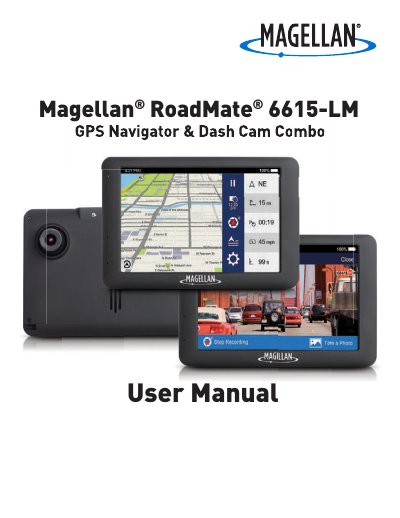
Magellan RoadMate 6615-LM GPS Navigator Dash Cam Combo User Manual
The Magellan RoadMate 6615-LM is a GPS receiver with Digital Video Recorder (DVR) functionality that also serves as a dashboard camera and recording device. This User Manual describes every function needed to operate the RoadMate, including navigation, DVR recording, and system settings.
Setup topics include mounting the device in a vehicle, connecting to Wi-Fi, powering it on and off, inserting a microSD card, registering the device, and updating maps and software. The manual also covers driving modes, route searching, LDWS and FCWS calibration, and using MiVue Manager to play recorded files.
Magellan 6615-LM specifications
| microSD card capacity | up to 64GB |
|---|---|
| Maximum operating temperature | 140°F (60°C) |
| Battery | Rechargeable, non-removable |
| Wi-Fi 5G Band 1 usage | Indoor use only |
Source: Magellan RoadMate 6615-LM GPS Navigator Dash Cam Combo User Manual
All Magellan 6615-LM documents by type
Day-to-day operation, settings and troubleshooting. Start here if the product is already set up.
Questions answered in these manuals
How do I connect the RoadMate to Wi-Fi?
Tap from the Map screen, tap Network, scan for nearby networks, select a network, enter the password if needed, and tap Connect.
From: Magellan RoadMate 6615-LM GPS Navigator Dash Cam Combo User Manual
What is the maximum operating temperature of the device?
The maximum operating temperature is 140°F (60°C).
From: Magellan RoadMate 6615-LM GPS Navigator Dash Cam Combo User Manual
Can I register my device later?
Yes, you can choose to register later by tapping Information and then Product Registration, though you cannot download updates until registered.
From: Magellan RoadMate 6615-LM GPS Navigator & Dash Cam Combo User Manual
What happens if I do not insert an SD card?
The device will not be able to save any photos or videos until an SD card is inserted.
From: Magellan RoadMate 6615-LM GPS Navigator & Dash Cam Combo User Manual