
Key facts
Start here
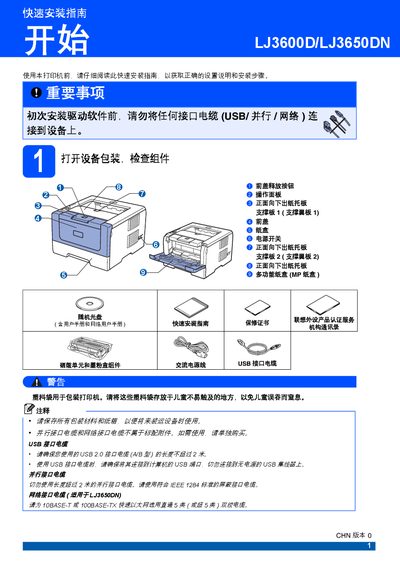
Lenovo LJ3600D/LJ3650DN Quick Installation Guide
The guide walks users through unpacking the printer, checking components, and safety warnings before any cables are connected. It details how to install the toner and drum unit, load paper, and configure optional accessories.
It also explains connecting the printer via USB, parallel, or network cables after driver installation, printing a test page, and lists optional accessories such as a low‑position paper tray and memory module. This manual is written in Chinese.
Lenovo LJ3650DN specifications
| Low‑position paper tray capacity | 250 sheets |
|---|---|
| Total paper capacity with low tray | 550 sheets |
| Memory module type | 144‑pin SO‑DIMM |
All Lenovo LJ3650DN documents by type
Day-to-day operation, settings and troubleshooting. Start here if the product is already set up.
The shortest path to a working setup, usually only a few pages.
Questions answered in these manuals
Can I connect the printer to a computer before installing the driver?
No. The guide states you must not connect any interface cable (USB, parallel, or network) before installing the driver.
How do I print a test page?
Turn on the printer, wait for the status light to turn green, then press the Go button to print a test page.
Can I plug the printer in with wet hands?
No. The manual warns not to insert or remove the plug with wet hands because it may cause electric shock.
What must be done before cleaning the printer?
Turn off the power switch and unplug the printer from the outlet before cleaning any internal parts.