
Key facts
- Brand
- JBL
- Model
- PartyBox 100
- Category
- Home Speakers
- Industry
- Electronics
- Documents
- 5
- Languages
- EN · SV · NO
- Last added
- 2026-11-18
Start here
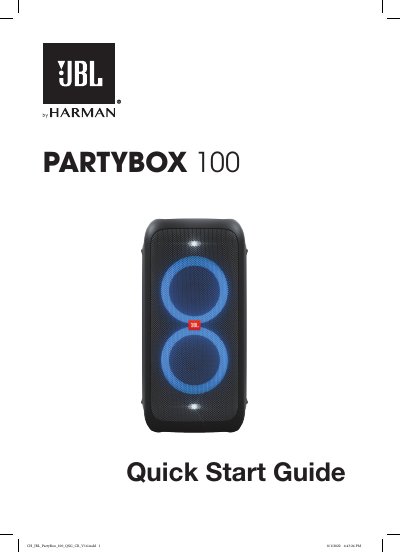
JBL PartyBox 100 Quick Start Guide
This multi-language quick start guide explains the JBL PartyBox 100 portable speaker's contents, top and back panel controls, carrying instructions, and power-on procedure. It details Bluetooth pairing, USB and AUX connections, True Wireless Stereo (TWS) mode, and microphone/guitar mixing with echo adjustment.
The guide also describes LED behavior for power, pairing, and battery status, and provides full technical specifications including 160 W total output power, 12-hour battery playtime, Bluetooth 4.2, and dimensions of 288 x 551 x 290 mm.
JBL PartyBox 100 specifications
| Product name | PartyBox 100 |
|---|---|
| AC power input | 100 - 240 V ~ 50/60 Hz |
| Built-in battery | Li-ion 2500 mAh, 14.4 V |
| Power consumption | 60 W |
| Standby power consumption | < 2 W with BT; < 0.5 W without BT |
| USB output | 5V 2.1A |
| Speaker drivers | 2 woofers + 2 tweeters |
| Speaker impedance | 4 Ω |
| Total output power | 160 W |
| Signal-to-noise ratio | 80 dBA |
| Frequency response | 45 Hz - 18 KHz (-6 dB) |
| Battery fast charge time | 3.5 hours |
| Battery standard charge time | 6.5 hours |
| Battery playtime | 12 hours |
| Bluetooth version | 4.2 |
| Bluetooth profiles | A2DP V1.3, AVRCP V1.6 |
| Bluetooth transmitter frequency range | 2402 - 2480 MHz |
| Bluetooth maximum transmitter power | 15 dBm (EIRP) |
| Bluetooth range | Approx. 10 m (33 ft) |
| USB format | FAT16, FAT32 |
| USB file format | .mp3, .wma, .wav |
| Input sensitivity (AUX in) | 370 mV rms (3.5 mm connector) |
| Digital input | Bluetooth/USB -9 dBFS |
| Dimensions (W x H x D) | 288 x 551 x 290 mm / 11.3 x 21.7 x 11.4 in |
| Net weight | 9.7 kg / 21.4 lbs |
All JBL PartyBox 100 documents by type
The shortest path to a working setup, usually only a few pages.
Day-to-day operation, settings and troubleshooting. Start here if the product is already set up.
Questions answered in these manuals
How do I pair a Bluetooth device with the PartyBox 100?
Press the Bluetooth button on the top panel to enter pairing mode, then select 'JBL PartyBox 100' on your device.
What is the battery playtime of the PartyBox 100?
The built-in battery provides up to 12 hours of playtime.
What is the Bluetooth PIN code for the PartyBox 1000?
If a PIN code is requested when connecting a Bluetooth device, enter "0000".
Can I use extension cords with this speaker?
No, to avoid safety risks, you should only use the power cord included with your unit.
How do I connect my PartyBox 1000 to Bluetooth?
Press the Bluetooth button, then select 'JBL PartyBox 1000' from your device's Bluetooth menu to pair.
How do I use the DJ pad to record music?
Press the record button to start recording, press it again to play, and press to stop after 30 seconds.