
Key facts
- Manuals
- 4
- Categories
- 1
- Languages
- EN · ZH
- Last added
- 2012-03-14
Featured JBL manuals
JBL MRX512M/515/525/518S/528S user manual
This guide begins with important safety symbols and cautions, explaining the exclamation‑point‑in‑triangle warning and the lightning‑flash‑in‑triangle symbol for dangerous voltage. It also covers general safety rules such as keeping the speaker dry, avoiding exposure to rain, and ensuring qualified service personnel handle any repairs.
The manual then details product specifications for each MRX500 model, recommended mounting methods (including the 35 mm pole socket and tripod stands), wiring diagrams for basic and sub/satellite configurations, and recommended amplifier and infrasonic filter settings. Warranty terms and contact information for JBL Professional are provided at the end.
Covers: Before You Begin - Important Information · Safety Symbols and Cautions · Product Specifications · Recommended Amplifiers and Infrasonic Filters · Mounting and Stand Safety · Basic Configuration and Sub/Sat Wiring
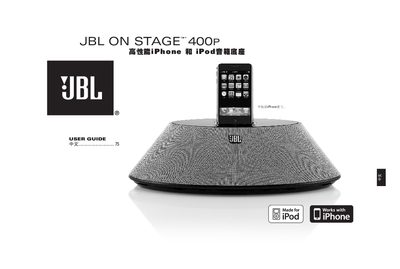
JBL 400 P User Manual
This guide covers safety precautions, proper installation, and how to connect power and audio cables for the JBL On Stage 400 P speaker dock. It explains remote‑control functions, charging of iPhone/iPod, and FCC compliance information.
The manual also includes troubleshooting advice for common issues such as no sound, interference, and charging problems, plus a full list of technical specifications and regulatory certifications. This manual is written in Chinese.
Covers: Safety Instructions · Setup and Power Connection · Audio Connections · Remote Control Operation · Charging iPhone/iPod · Troubleshooting
JBL On Stage IIIP User Manual
This manual explains how to install and power the JBL On Stage IIIP speaker, including battery installation, power‑adapter connection and remote‑control functions. It also covers basic operation such as volume control, playback, and pairing with audio sources.
A troubleshooting section helps resolve common issues like no sound, low volume, or power‑indicator problems, and the technical specifications list the frequency range, power consumption, dimensions, weight and battery types.
Covers: Setup and Power · Remote Control Operation · Volume Control · Battery Information · Troubleshooting · Technical Specifications
JBL On Stage IIIP User Manual
The JBL On Stage IIIP user guide provides step‑by‑step instructions for connecting iPhone or iPod devices, operating the dock, and understanding the LED indicators and power controls. It also includes safety warnings, FCC compliance details, and language selection for multilingual users.
Additional sections describe the battery type, charging procedure, technical specifications such as power output and frequency response, and troubleshooting tips for common issues. This manual is written in Chinese.
Covers: Safety Information · Product Overview · Connecting iPhone/iPod · Controls and Indicators · Battery and Power · Technical Specifications
Latest JBL manuals
JBL MRX512M/515/525/518S/528S user manual
User Manual 11 pages · 2.5 MB · ENThe JBL MRX500 series user guide provides safety instructions, specifications, mounting, wiring and warranty information for the MRX512M, MRX515, MRX525…
JBL 400 P User Manual
User Manual 8 pages · 1 MB · ZHThe JBL 400 P user manual provides safety warnings, setup steps, operation instructions, troubleshooting tips, and technical specifications for the…
JBL On Stage IIIP User Manual
User Manual 100 pages · 5.1 MB · ENThe JBL On Stage IIIP user manual provides setup, operation, troubleshooting and specifications for the portable speaker system.
JBL On Stage IIIP User Manual
User Manual 8 pages · 751 KB · ZHUser manual for the JBL On Stage IIIP portable loudspeaker dock, covering setup, operation, and safety information.
Which document do I need?
User Manual
Day-to-day operation, settings and troubleshooting. Start here if the product is already set up.
Questions answered in JBL manuals
What is the warranty period for JBL professional loudspeakers?
JBL offers a five‑year limited warranty on professional loudspeaker products from the date of first consumer purchase.
What type of connector is used for the speaker inputs?
Each speaker uses two Neutrik® Speakon® NL‑4 connectors, one on each end of the enclosure.
How do I power on the JBL On Stage 400 P?
Plug the power cord into a wall outlet, then press the power switch; a green LED will light to indicate the unit is powered.
From: JBL 400 P User Manual
Why is there no sound from the JBL On Stage 400 P?
Make sure the iPhone/iPod is properly seated in the dock and that the audio cable is correctly connected; also verify the source volume is up.
From: JBL 400 P User Manual
What type of battery does the JBL On Stage IIIP use?
It uses a CR2025 battery with an expected life of three years.