
Quick start guide for the JBL PartyBox 100 portable Bluetooth speaker covering setup, controls, connections, and specifications.
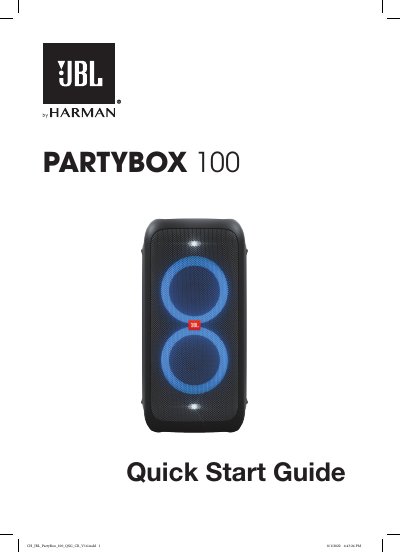
This multi-language quick start guide explains the JBL PartyBox 100 portable speaker's contents, top and back panel controls, carrying instructions, and power-on procedure. It details Bluetooth pairing, USB and AUX connections, True Wireless Stereo (TWS) mode, and microphone/guitar mixing with echo adjustment.
The guide also describes LED behavior for power, pairing, and battery status, and provides full technical specifications including 160 W total output power, 12-hour battery playtime, Bluetooth 4.2, and dimensions of 288 x 551 x 290 mm.
| Product name | PartyBox 100 |
|---|---|
| AC power input | 100 - 240 V ~ 50/60 Hz |
| Built-in battery | Li-ion 2500 mAh, 14.4 V |
| Power consumption | 60 W |
| Standby power consumption | < 2 W with BT; < 0.5 W without BT |
| USB output | 5V 2.1A |
| Speaker drivers | 2 woofers + 2 tweeters |
| Speaker impedance | 4 Ω |
| Total output power | 160 W |
| Signal-to-noise ratio | 80 dBA |
| Frequency response | 45 Hz - 18 KHz (-6 dB) |
| Battery fast charge time | 3.5 hours |
| Battery standard charge time | 6.5 hours |
| Battery playtime | 12 hours |
| Bluetooth version | 4.2 |
| Bluetooth profiles | A2DP V1.3, AVRCP V1.6 |
| Bluetooth transmitter frequency range | 2402 - 2480 MHz |
| Bluetooth maximum transmitter power | 15 dBm (EIRP) |
| Bluetooth range | Approx. 10 m (33 ft) |
| USB format | FAT16, FAT32 |
| USB file format | .mp3, .wma, .wav |
| Input sensitivity (AUX in) | 370 mV rms (3.5 mm connector) |
| Digital input | Bluetooth/USB -9 dBFS |
| Dimensions (W x H x D) | 288 x 551 x 290 mm / 11.3 x 21.7 x 11.4 in |
| Net weight | 9.7 kg / 21.4 lbs |
Press the Bluetooth button on the top panel to enter pairing mode, then select 'JBL PartyBox 100' on your device.
The built-in battery provides up to 12 hours of playtime.
Press and hold the Bluetooth button on both speakers for 5 seconds to establish a TWS connection.
The speaker measures 288 x 551 x 290 mm and weighs 9.7 kg.