
Key facts
- Brand
- JBL
- Model
- Cinema SB450
- Category
- Home Speakers
- Industry
- Electronics
- Documents
- 3
- Languages
- DE · PT · ES
- Last added
- 2026-11-14
Start here
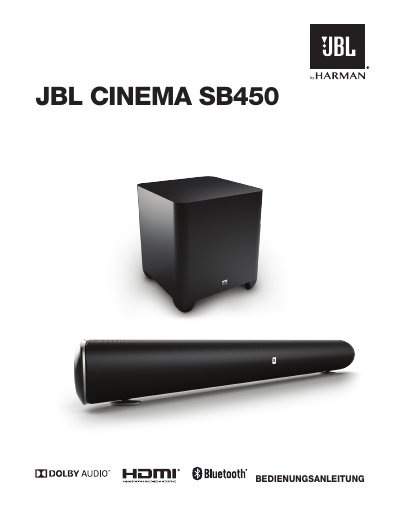
JBL Cinema SB450 Soundbar User Manual
This manual covers the JBL Cinema SB450 soundbar system, including its components, control panel functions, and connectivity options. It details how to set up the wireless subwoofer and connect the soundbar to various audio and video sources such as HDMI, Optical, and Bluetooth devices. The guide also explains how to adjust sound settings like bass levels and virtual surround modes. This manual is written in German.
Read onlineJBL Cinema SB450 specifications
| Included Components | Soundbar, Wireless Subwoofer, Remote Control, Optical Cable, HDMI Cable, Power Cables, Wall Mount |
|---|---|
| Subwoofer Crossover Range | 40 to 200 Hz |
| Soundbar Weight | 3.4 kg |
All JBL Cinema SB450 documents by type
Day-to-day operation, settings and troubleshooting. Start here if the product is already set up.
Questions answered in these manuals
How do I pair the wireless subwoofer with the soundbar?
Press the pairing button on the back of the subwoofer to start the wireless connection process.
What does the EQ switch on the back of the soundbar do?
It adjusts the equalizer settings for either wall mounting or table placement to optimize bass performance.
What is the total amplifier power of the JBL Cinema SB450?
The total amplifier power is 440 W.
How many HDMI inputs does the soundbar have?
It has 3 HDMI video inputs and 1 HDMI output with Audio Return Channel (ARC).
How do I pair the wireless subwoofer?
Press the Pairing button on the back of the soundbar to initiate wireless pairing between the soundbar and the wireless subwoofer.
How do I turn the system on and off?
Press the Power button to turn the system on when in standby mode, or press it while the system is on to put it into standby mode.