
Key facts
- Brand
- JBL
- Model
- 310
- Category
- Audio-Video Decoder
- Industry
- Electronics
- Documents
- 3
- Languages
- ZH · ES · EN
- Last added
- 2026-11-19
Start here
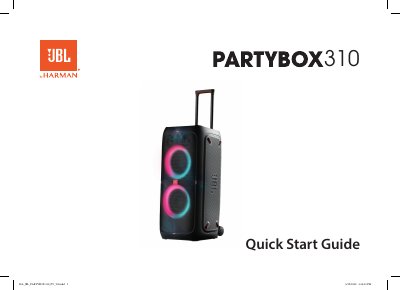
JBL PartyBox 310 Quick Start Guide
This guide provides safety information and control instructions for the JBL PartyBox 310. It includes multilingual safety warnings and details on adjusting microphone gain, volume, and audio settings using rotary controls and +/- buttons. The guide also notes that power cord quantity and plug type vary by region. This manual is written in Chinese.
Read onlineJBL 310 specifications
| Product Type | Powered Studio Monitor / Subwoofer |
|---|---|
| Included Models | LSR305, LSR308, LSR310S |
| Design Feature | Bi-amplified Design with individual power amplifiers |
Source: JBL 3 Series LSR305/LSR308/LSR310S Studio Monitor User Manual
All JBL 310 documents by type
The shortest path to a working setup, usually only a few pages.
Day-to-day operation, settings and troubleshooting. Start here if the product is already set up.
Questions answered in these manuals
What should I do before using the JBL PartyBox 310?
Read the safety sheet carefully before using the product.
How do I adjust the microphone gain and volume?
Rotate the microphone gain control to adjust the gain, and rotate the microphone volume control to adjust the volume.
What are the speaker sizes included in this manual?
The manual covers studio monitors with 5, 6, and 8-inch drivers, as well as a 10-inch subwoofer.
From: JBL MkII 305P/306P/308P/LSR310S Studio Monitor User Manual
What type of cleaning cloth is recommended for this equipment?
You should clean the unit only with a dry cloth.
From: JBL MkII 305P/306P/308P/LSR310S Studio Monitor User Manual
What is included in each box?
Each box includes one studio monitor or subwoofer, a power cord, a Quick Set Up Guide, and peel-off rubber pads for the LSR308 and LSR305.
From: JBL 3 Series LSR305/LSR308/LSR310S Studio Monitor User Manual
How should I unpack the speaker?
Place the inner carton on the floor with the top facing upwards, open it, rotate it so the open end rests on the floor, and gently lift to slide the speaker out.
From: JBL 3 Series LSR305/LSR308/LSR310S Studio Monitor User Manual