
Key facts
- Brand
- ITech
- Model
- IT8211
- Category
- Other Electronics
- Industry
- Electronics
- Documents
- 5
- Languages
- EN · ZH
- Last added
- 2026-11-01
Start here
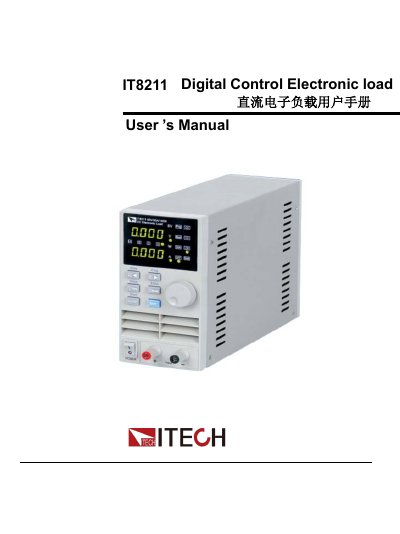
ITECH IT8211 Digital Control Electronic Load User's Manual
The ITECH IT8211 is a fully digitally controlled electronic load with a rating of 60V/30A/150W. It features high resolution (10mV, 1mA) and supports Constant Voltage (CV), Constant Current (CC), and Constant Resistance (CR) modes, as well as short circuit testing.
The device includes an intuitive interface with a rotary encoder, function keys, and memory capabilities for up to 4 sets of 40 steps. It offers over-voltage, over-current, over-power, and over-temperature protection features. This manual is written in Chinese.
ITECH IT8211 specifications
| Rated Capacity | 60V/30A/150W |
|---|---|
| Resolution | 10mV/1mA |
| Working Modes | CC/CV/CR |
| Preset Storage | 4*100 sets |
| List Mode Storage | 25*4 sets |
| Group Storage | 40 groups |
| Current Range High | 0 to 30A |
| Current Range Low | 0 to 3A |
| Max Short-Circuit Current | 1.2 times current range |
All ITECH IT8211 documents by type
Day-to-day operation, settings and troubleshooting. Start here if the product is already set up.
Questions answered in these manuals
What are the working modes of the IT8211?
The IT8211 supports Constant Current (CC), Constant Voltage (CV), and Constant Resistance (CR) modes.
How do I switch between 3A and 30A current ranges?
Press the Shift key, then press the 30A key to switch to the high range (30A), or press the 30A key again to return to the low range (3A).
What are the ratings and resolution of the IT8211 electronic load?
It is a digital control electronic load rated 60V/30A/150W with full range 10mV/1mA resolution.
From: ITECH IT8211 Digital Control Electronic Load User's Manual
How do I switch between the 3A and 30A current ranges?
Press Shift and then the 30A key to light the indicator and work in the 30A range; press them again to turn the light off and set current from 0 to 3A.
From: ITECH IT8211 Digital Control Electronic Load User's Manual
What are the working modes of the IT8211?
The IT8211 supports Constant Voltage (CV), Constant Current (CC), and Constant Resistance (CR) working modes.
What is the default Over Current Protection (OCP) value?
The default OCP setting is 30A, which matches the maximum current rating of the unit.