
Key facts
- Brand
- ITech
- Model
- IT8800 series
- Category
- Other Electronics
- Industry
- Electronics
- Documents
- 2
- Languages
- ZH
- Last added
- 2026-10-03
Start here
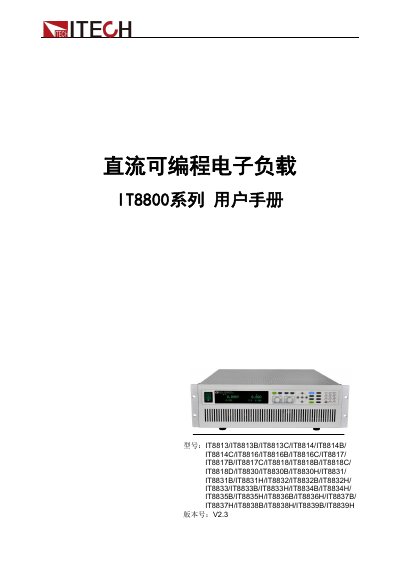
Itech IT8800 Series Programmable DC Electronic Load User Manual
This manual covers safety symbols, precautions, environmental requirements, and warranty information for the IT8800 series electronic loads. It also guides users through unpacking, installation, and quick‑start procedures.
Detailed sections describe the device’s functional modes, technical specifications, and the three supported communication interfaces (RS‑232, USB, GPIB), along with wiring and configuration instructions. This manual is written in Chinese.
Itech IT8800 series specifications
| Input voltage | 110 V or 220 V AC (selectable) |
|---|---|
| Maximum power for 110 V input | Not supported for loads ≥35 kW |
| Dimensions (W×H×D) | 482.7 mm × 131.4 mm × 536 mm |
| Operating temperature | 0 °C to 40 °C |
| Operating humidity | 20 % to 80 % non‑condensing |
| Maximum altitude | 2000 m |
Source: Itech IT8800 Series Programmable DC Electronic Load User Manual
All Itech IT8800 series documents by type
Day-to-day operation, settings and troubleshooting. Start here if the product is already set up.
Questions answered in these manuals
What communication interfaces does the IT8800 series support?
The IT8800 series provides three communication interfaces: RS‑232, USB, and GPIB.
From: Itech IT8800 Series Programmable DC Electronic Load User Manual
What are the power input voltage options for the IT8800 series?
It can be powered by either 110 V or 220 V AC, selectable via a switch on the rear panel.
From: Itech IT8800 Series Programmable DC Electronic Load User Manual
How should the RS‑232 interface be connected?
Use a DB‑9 cable to connect the load’s RS‑232 COM port to the computer’s COM port and ensure matching baud rate, parity, data bits and flow control.
From: Itech IT8800 Series Programmable DC Electronic Load User Manual
What safety check is required before powering the load?
Verify that the AC voltage setting (110 V or 220 V) matches the supplied mains voltage, otherwise the load may be damaged.
From: Itech IT8800 Series Programmable DC Electronic Load User Manual