
This is a manual for digital control electronic load IT8211.
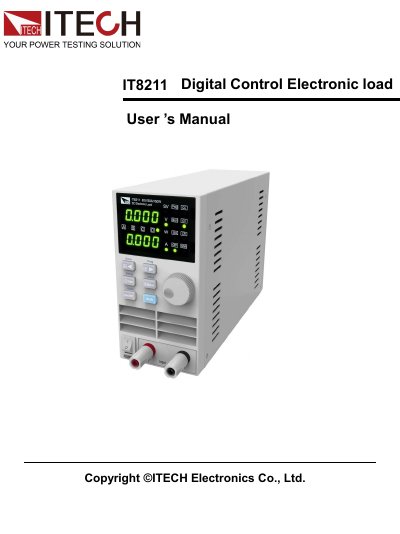
The ITECH IT8211 is a digital control electronic load rated 60V / 30A / 150W with full range 10mV / 1mA resolution. It works in CC, CV and CR modes, has a 3A/30A current range selector, OC/OV/OP protection, storage for 4*40 sets of preset values and a programmable LIST mode of 25*4 sets.
This user manual covers the safety regulations and warranty, the front panel layout, and quick start procedures for setting current, voltage and resistance. It also explains input on/off, the OCP function, the view, BEEP, REL, address and group settings, store and recall operation, the 3/30A current range switch and short-circuit operation.
| Voltage / Current / Power | 60 V / 30 A / 150 W |
|---|---|
| Resolution | 10 mV / 1 mA full range |
| Working modes | CC / CV / CR |
| Preset value storage | 4*40 sets |
| LIST mode | 25*4 sets, programmable |
| Protection | OC / OV / OP |
| Current range | 0 to 30 A (high) and 0 to 3 A (low) |
| Current resolution | 10 mA in high range, 1 mA in low range |
| Default OCP setting | 30 A |
| AC line voltage | 110 V AC or 220 V AC |
| Warranty period | One year from date of delivery |
It is a digital control electronic load rated 60V/30A/150W with full range 10mV/1mA resolution.
Press Shift and then the 30A key to light the indicator and work in the 30A range; press them again to turn the light off and set current from 0 to 3A.
The default OCP setting is 30A; the input of the electronic load is turned off automatically if the OCP value is less than the actual current value.
The load works with 110V AC or 220V AC; the correct line voltage is selected with the switch on the rear panel.