
Key facts
- Brand
- ICOM
- Model
- IC-M700PRO
- Category
- Other Electronics
- Industry
- Industrial
- Documents
- 2
- Languages
- EN · ZH
- Last added
- 2026-11-08
Start here
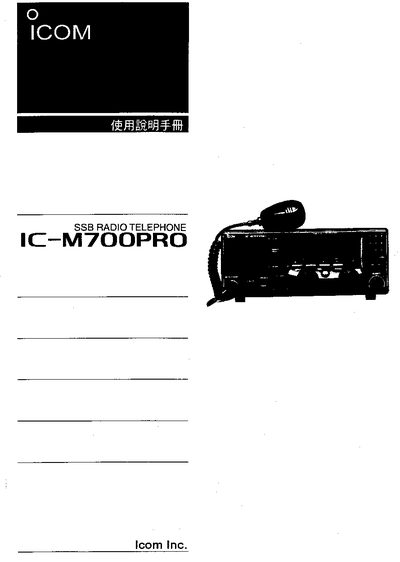
ICOM IC-M700PRO User Manual
This manual covers safe handling, installation, and operation of the ICOM IC-M700PRO marine SSB radio. It includes safety warnings, emergency call procedures, and detailed descriptions of the front panel controls.
The document also provides technical specifications such as frequency coverage, transmit power, channel configuration, power requirements, and environmental limits, along with troubleshooting steps and optional accessories. This manual is written in Chinese.
ICOM IC-M700PRO specifications
| Weight | approximately 8kg |
|---|---|
| Maximum DC Power | 16 V DC |
| Operating Temperature Range | -20°C to +60°C |
| Emergency Frequency | 2182 kHz |
Source: ICOM IC-M700PRO SSB Radio Telephone Instruction Manual
All ICOM IC-M700PRO documents by type
Day-to-day operation, settings and troubleshooting. Start here if the product is already set up.
Questions answered in these manuals
How do I transmit a distress alarm signal?
Push [ALARM] and [TX FREQ] for 1 sec to transmit a 2-tone alarm signal for at least 30 sec.
From: ICOM IC-M700PRO SSB Radio Telephone Instruction Manual
What happens if I connect the transceiver to an AC outlet directly?
It may pose a fire hazard or result in an electric shock.
From: ICOM IC-M700PRO SSB Radio Telephone Instruction Manual
How do I send an emergency (MAYDAY) call with the IC-M700PRO?
Press the 2182 kHz button, then hold the ALARM and TX FREQ buttons for at least 30 seconds to transmit the emergency signal.
What power source should be used for the IC-M700PRO?
The radio requires a 13.6 V DC power supply with a tolerance of ±15 %.