
Key facts
Start here
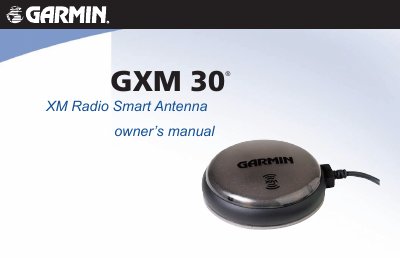
Garmin GXM 30 XM Radio Smart Antenna Owner's Manual
The Garmin GXM 30 XM Radio Smart Antenna is designed to provide graphical and textual marine, aviation, and automotive XM WX weather information, as well as music, news, and talk programming. This manual covers the operation of the unit when viewed on a compatible Garmin device, including subscription procedures for XM WX Weather and XM Radio services. It details how to connect the antenna and explains the various weather and audio features available.
The document includes important safety warnings regarding installation, such as avoiding obstruction of the driver's field of vision and ensuring the unit is not placed in front of an airbag deployment zone. It also provides guidance on product registration, unit care, and servicing, noting that the device contains no user-serviceable parts and should be repaired by an authorized dealer if issues arise.
Garmin 30X specifications
| Compatible with | Garmin unit |
|---|---|
| Part Number | 190-00535-00 |
| Revision | Rev. B |
All Garmin 30X documents by type
Day-to-day operation, settings and troubleshooting. Start here if the product is already set up.
Questions answered in these manuals
How long does it take to acquire satellite signals?
It may take 30 to 60 seconds to acquire satellite signals.
What type of batteries should be used for best results?
Use NiMH or lithium batteries for best results.
What is required to operate the GXM 30?
Operation requires a subscription to the XM WX Satellite Weather service, and music/news/talk programming requires a subscription to the XM Radio service.
Can the user service the GXM 30?
No, the GXM 30 has no user-serviceable parts and should be taken to an authorized Garmin dealer for repairs.