
Key facts
- Brand
- Garmin
- Model
- G1000
- Industry
- Automotive
- Documents
- 6
- Languages
- EN
- Last added
- 2026-10-15
Start here
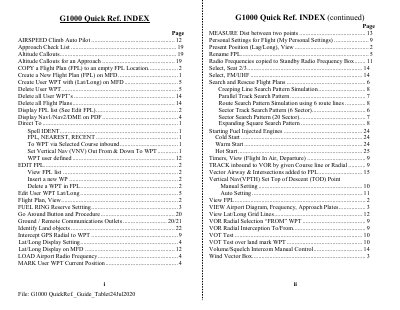
Garmin G1000 Quick Reference Guide
This document serves as a quick reference guide for pilots using the Garmin G1000 integrated avionics suite. It provides step-by-step instructions for essential tasks such as creating and editing flight plans (FPL), managing user waypoints, and viewing airport diagrams or frequencies.
The guide also details procedures for executing various approach types including ILS, GPS/RNAV, VOR, and LOC approaches. Additionally, it covers search and rescue flight plan simulations, personal settings configuration, and the use of the PFD and MFD screens for navigation and communication.
Garmin G1000 specifications
| Required software version | 05 63.06 or later |
|---|---|
| GDU 104X lamp content | Contains mercury |
| GDU 104X lens coating sensitivity | Sensitive to skin oils, waxes and abrasive cleaners |
All Garmin G1000 documents by type
Day-to-day operation, settings and troubleshooting. Start here if the product is already set up.
Disassembly, diagnostics and part numbers, for repair.
The shortest path to a working setup, usually only a few pages.
Questions answered in these manuals
Which Cessna Nav III aircraft models are covered by this manual?
This manual covers the Cessna 172R, 172S, 182, T182, 206, and T206 aircraft.
What software version is required for the information in this manual to be accurate?
The manual reflects the operation of System Software version 0563.25 or later.
How often is the Jeppesen aviation database updated?
The Jeppesen aviation database is updated on a 28‑day cycle.
What safety precaution should be taken when cleaning the GDU 104X lens?
Clean the lens with a clean, lint‑free cloth and an eyeglass lens cleaner that is safe for anti‑reflective coatings.
How do I activate the Search and Rescue feature?
You must purchase and activate the feature using a dedicated Secure Digital (SD) unlock card inserted into the top SD card slot on the MFD.
What is required to use the Search and Rescue feature on the Garmin G1000?
The Search and Rescue feature must be purchased and activated before use.