
Key facts
- Brand
- EverFocus
- Model
- EQ900
- Documents
- 2
- Languages
- EN
- Last added
- 2023-10-18
Start here
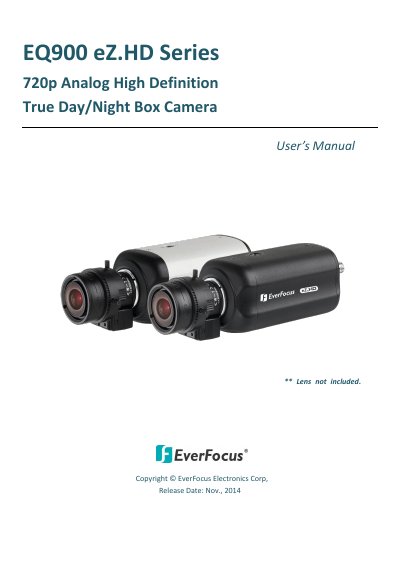
EverFocus EQ900 eZ.HD Series 720p Analog High Definition True Day/Night Box Camera User's Manual
The EverFocus EQ900 eZ.HD Series is a box camera equipped with a 1/2.8" SONY 1.37M pixels CMOS sensor to deliver 720p high resolution. It supports both NTSC and PAL scanning systems and offers features such as 3D Noise Reduction, Digital Wide Dynamic Range (D-WDR), and flexible lens mounting options for C/CS mount lenses. The camera provides dual video output options of 720p and 960H, which can be easily switched via the built-in OSD menu.
Read onlineEverFocus EQ900 specifications
| Sensor | 1/2.8" SONY 1.37M pixels CMOS |
|---|---|
| Resolution | 720p |
| Scanning Systems | NTSC and PAL |
| Video Output | 720p & 960H |
| Power Input | 12VDC or 24VAC |
| Operating Temperature | -10° C ~ 50° C |
| Operating Humidity | 20 ~ 80% |
Source: EverFocus EQ900 eZ.HD Series 720p Analog High Definition True Day/Night Box Camera User's Manual
All EverFocus EQ900 documents by type
Day-to-day operation, settings and troubleshooting. Start here if the product is already set up.
Questions answered in these manuals
Is the lens included with the camera?
No, the lens is not included with the camera.
From: EverFocus EQ900 eZ.HD Series 720p Analog High Definition True Day/Night Box Camera User's Manual
Can the video format be switched between PAL and NTSC?
Yes, the video format can be switched via the OSD menu.
From: EverFocus EQ900 eZ.HD Series 720p Analog High Definition True Day/Night Box Camera User's Manual
How do I switch the video format between 1080p and 720p?
Press the function button upward for 5 seconds to switch between 1080p and 720p.
From: EQ900F eZ.HD Series 1080p Full High Definition True Day/Night Box Camera User's Manual
How do I switch from HD to 960H analog signal output?
Press the function button left for 5 seconds to switch from HD to 960H.
From: EQ900F eZ.HD Series 1080p Full High Definition True Day/Night Box Camera User's Manual