
Key facts
- Brand
- EverFocus
- Model
- EAN800A/EAN800AW
- Category
- Digital cameras
- Industry
- Electronics
- Documents
- 2
- Languages
- EN
- Last added
- 2026-10-22
Start here
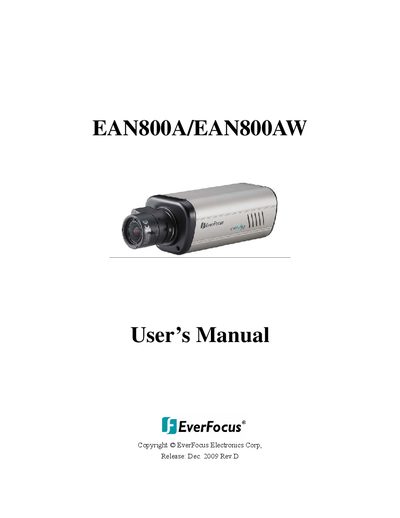
EverFocus EAN800A/EAN800AW IP Network Camera User's Manual
The EverFocus EAN800A/EAN800AW is a flexible IP network camera designed for remote monitoring applications. It supports advanced video compression technologies including H.264, MPEG-4, and MJPEG to optimize bandwidth usage while maintaining high image quality. The device features a 1/3" Sony Super HAD color CCD sensor with a sensitivity of 0.4Lux/F=1.2.
Read onlineEverFocus EAN800A/EAN800AW specifications
| CPU Requirement | PC Pentium IV (2.0 GHz or higher) / AMD Athlon (or higher) |
|---|---|
| VGA Card Requirement | 32 MB min. 16.7 million colours, with DirectX9.0c support |
| Memory Requirement | 512 MB RAM min., 1 GB HD space or above |
| Network Card Requirement | 100 Mbps network card |
| Screen Resolution Requirement | 1024 x 768 pixels or higher, 32-bit pixel color resolution |
| Operating System Requirement | Windows XP, service pack 3 or higher |
| Power Input | 12VDC |
Source: EverFocus EAN800A/EAN800AW IP Camera Installation Guide
All EverFocus EAN800A/EAN800AW documents by type
Mounting, wiring and first power-up. Read it before the hardware goes in.
Day-to-day operation, settings and troubleshooting. Start here if the product is already set up.
Questions answered in these manuals
What are the default User ID and password for the EAN800A/EAN800AW?
The default User ID is 'user1' and the default password is '11111111'.
From: EverFocus EAN800A/EAN800AW IP Camera Installation Guide
How do I reset the EAN800A/EAN800AW to factory default configuration?
Press the reset button inside the hole for 10 seconds using a keen-edged device.
From: EverFocus EAN800A/EAN800AW IP Camera Installation Guide
What is the default username and password?
The default Username is 'user1' and the default password is '1111111'.
From: EverFocus EAN800A/EAN800AW IP Network Camera User's Manual
Does this camera support wireless connectivity?
Yes, the EAN800AW model has a built-in IEEE 802.11b/g wireless module.
From: EverFocus EAN800A/EAN800AW IP Network Camera User's Manual