
Key facts
- Brand
- EverFocus
- Model
- 2H14
- Category
- Video Player
- Documents
- 2
- Languages
- EN
- Last added
- 2012-07-09
Start here
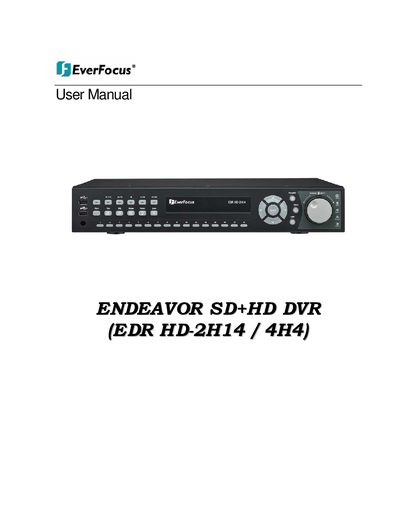
EverFocus EDR HD-2H14/4H4 SD+HD DVR User Manual
The document serves as a comprehensive instruction manual for the EverFocus ENDEAVOR SD+HD DVR series. It covers safety precautions, product overview including features and specifications, and detailed guidance on hardware installation such as video wiring, audio connections, and alarm contacts.
Subsequent sections explain how to operate the device using the front panel or USB mouse, covering recording, playback, PTZ control, and various display functions. The manual also details software configuration menus for camera settings, scheduling, network setup (including DDNS), and remote browser access.
EverFocus 2H14 specifications
| Compatible Models | EPHD08, EDR HD 4H4, 2H14 |
|---|---|
| Firmware Version EPHD08 | V1.0.9 |
| Quick Archive Interval Options | 10, 20, 30, 60, 90 minutes |
Source: EverFocus EPHD08/EDR HD 4H4/2H14 Firmware Release Note January 2012
All EverFocus 2H14 documents by type
Day-to-day operation, settings and troubleshooting. Start here if the product is already set up.
Questions answered in these manuals
What are the operating temperature and humidity limits for this DVR?
The device must be used at indoor temperatures between 0°C and 40°C with relative humidity between 20% and 80%.
What is the input power source requirement for this device?
The unit requires a 12VDC input power source that operates from 100 to 240VAC.
How do I enable remote reboot for the DVR?
Enable the feature in the local System Menu under the Misc. screen and use the button in the web interface System Menu to reboot.
From: EverFocus EPHD08/EDR HD 4H4/2H14 Firmware Release Note January 2012
What is the Quick Archive function?
It allows users to copy the previous 10 to 90 minutes of video for all cameras to a blank DVD or USB drive by pressing and holding the COPY key.
From: EverFocus EPHD08/EDR HD 4H4/2H14 Firmware Release Note January 2012