
Dell OptiPlex 7050 Tower Quick Start Guide

OptiPlex 7050 Tower Quick Start Guide
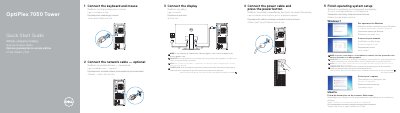

Dell OptiPlex 7050 Tower Quick Start Guide - cover page
Brand
DELL
Category
Desktops
Document type
Quick Start Guide
Language
English
Pages
2
File format
PDF
File size
476 KB
Published
22 November, 2023
Updated
22 November, 2023
MD5 checksum
A91B288C51F3081DDA4D7390B2145443

About this manual

This document serves as a multilingual Quick Start Guide for the Dell OptiPlex 7050 Tower. It provides step-by-step instructions in English, Greek, Portuguese, Russian, and Hebrew for connecting essential peripherals such as the keyboard, mouse, display, and power cable. It also details specific setup steps for Windows 7 and Ubuntu operating systems.

What's inside

  • Connect the keyboard and mouse
  • Connect the network cable
  • Connect the display
  • Connect the power cable
  • Finish operating system setup
  • Connect to your network
  • Protect your computer
  • Features
  • Regulatory and safety

Specifications

Product ModelOptiPlex 7050 Tower
Regulatory ModelD18M
Regulatory TypeD18M003
External Bay Size5.25-inch
USB PortsUSB 2.0, USB 3.0, USB 3.0 Type-C
Network PortNetwork port

Frequently asked questions

Where should I connect the display if I have a discrete graphics card?

Connect the display to the discrete graphics card.

What should I do if I am connecting to a secured wireless network?

Enter the password for the wireless network access when prompted.

Download PDF (476 KB)

More DELL Manuals


View all DELL manuals →