
Dell Inspiron 5521 (P28F) Computer Quick Start Guide

Dell P28F monitor complies with NOM standards.
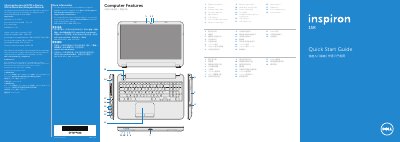

Dell Inspiron 5521 (P28F) Computer Quick Start Guide - cover page
Brand
DELL
Category
Laptops
Document type
Quick Start Guide
Language
English
Pages
2
File format
PDF
File size
1002 KB
Published
20 November, 2023
Updated
20 November, 2023
MD5 checksum
EE569C67883EAAC533DC024BA57AE8DA

About this manual

This Dell quick start guide is for the Inspiron 5521 computer (regulatory model P28F). It shows the computer features and basic setup steps such as connecting the power adapter and completing Windows setup.

It also covers function keys, wireless status, connecting a network cable, switching to an external display, and locating and recording the service tag and regulatory label.

What's inside

  • Computer Features
  • Function Keys
  • Connect the power adapter
  • Complete Windows setup
  • Check wireless status
  • Locate your service tag/regulatory label
  • Connect the network cable
  • Switch to external display
  • Record your Windows password
  • Record your service tag

Specifications

Input voltage100-240 V AC
Input current (maximum)1.50 A/1.60 A/1.70 A/2.50 A
Input frequency50-60 Hz
Output current3.34 A/4.62 A
Nominal output voltage19.50 V DC

Frequently asked questions

What is the computer model?

The computer model is Inspiron 5521.

What is the regulatory model?

The regulatory model is P28F.

Where can I find Dell manuals and support?

Dell manuals are available at support.dell.com/manuals and contact information is at dell.com/ContactDell.

What should I avoid in a Windows password?

Do not use the @ symbol in your password.

Download PDF (1002 KB)

More DELL Manuals


View all DELL manuals →