
The Dell P28F monitor complies with the NOM standard, with an input voltage of 100-240V AC, an input current of 1.50A/1.60A/1.70A/2.50A, an input frequency of 50Hz-60Hz, an output current of 3.34A/4.62A, and an output voltage of 19.50V DC.
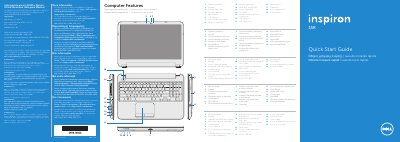
This Dell Inspiron 5521 quick start guide presents the computer's features and basic setup steps in English, Spanish, Greek, Portuguese, and Romanian. It lists regulatory model P28F and type P28F001 and includes NOM information for Mexico with electrical ratings.
The guide covers connecting the power adapter, completing Windows setup, checking wireless status, locating the service tag/regulatory label, and connecting an optional network cable. It also identifies ports and indicators including USB 2.0, USB 3.0, HDMI, media-card reader, camera, touchpad, and power button, and describes function-key controls for display, wireless, touchpad, brightness, media, and volume.
| Computer model | Inspiron 5521 |
|---|---|
| Regulatory model | P28F |
| Type | P28F001 |
| Input voltage | 100–240 V AC |
| Maximum input current | 1.50 A/1.60 A/1.70 A/2.50 A |
| Input frequency | 50–60 Hz |
| Output current | 3.34 A/4.62 A |
| Nominal output voltage | 19.50 V DC |
It covers the Dell Inspiron 5521; the guide also lists regulatory model P28F and type P28F001.
The guide lists an input voltage of 100–240 V AC.
Dell directs users to Start → All Programs → Dell Help Documentation or support.dell.com/manuals.
Dell directs users to dell.com/ContactDell; U.S. customers can call 800-WWW-DELL (800-999-3355).