
Key facts
- Brand
- Argox
- Model
- CP-2140
- Category
- Printer
- Industry
- Electronics
- Documents
- 4
- Languages
- EN · ZH-CN · ZH
- Last added
- 2026-10-05
Start here
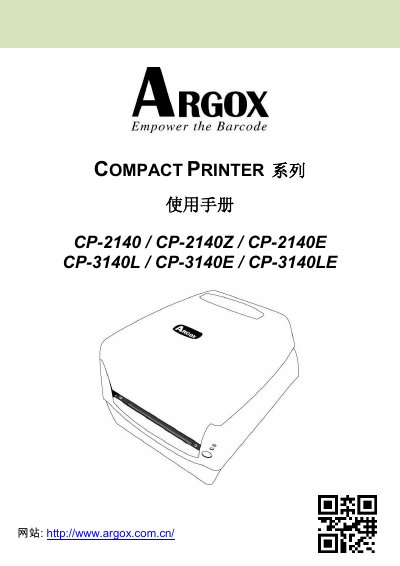
Argox Compact Printer Series User Manual (CP-2140/CP-2140Z/CP-2140E/CP-3140L/CP-3140E/CP-3140LE)
This user manual covers the CP Compact Printer Series, including models CP-2140, CP-2140Z, CP-2140E, CP-3140L, CP-3140E, and CP-3140LE. It guides users through unboxing, printer overview, connecting power and cables, loading paper and ribbon, and configuring settings via software or drivers. This manual is written in Chinese.
Read onlineArgox CP-2140 specifications
| Print Method | Thermal Transfer / Direct Thermal |
|---|---|
| Resolution | 203 dpi (8 dots/mm) or 300 dpi (12 dots/mm) |
| Print Speed | 2~4 ips (50~101.6 mm/s) |
| Max Print Length | 100 inches (2540mm) |
| Max Print Width | 4.1 inches (104mm) |
| CPU Type | 32-bit RISC Microprocessor |
Source: Argox Compact Printer Series User Manual (CP-2140/CP-2140Z/CP-2140E/CP-3140L/CP-3140E/CP-3140LE)
All Argox CP-2140 documents by type
Day-to-day operation, settings and troubleshooting. Start here if the product is already set up.
Questions answered in these manuals
What situations are not covered by the warranty?
The warranty does not cover damages from unauthorized modifications, improper packaging during shipping, or misuse of non-original consumables.
From: ARGOX CP Series Desktop Barcode Printers Warranty and Installation Guide
How far must a customer live to be eligible for free repair service?
Customers within 30 kilometers of an authorized service center receive free repairs.
From: ARGOX CP Series Desktop Barcode Printers Warranty and Installation Guide
What is the maximum print length supported?
The printer supports a maximum print length of 100 inches.
From: Argox Compact Printer Series User Manual (CP-2140/CP-2140Z/CP-2140E/CP-3140L/CP-3140E/CP-3140LE)
What is the maximum print length for this printer?
The maximum printable length is 100 inches (2540mm).
From: Argox Compact Printer Series User Manual (CP-2140/CP-2140Z/CP-2140E/CP-3140L/CP-3140E/CP-3140LE)
How do I connect the printer to a host via the parallel port?
Use the 36‑pin Centronics connector; pin 1 is In n/STROBE, pin 16 is Ground, pins 2‑9 carry data, and pins 10‑12 provide status signals as shown in the pinout table.