
Key facts
- Brand
- Argox
- Model
- CP-2140E
- Category
- Printer
- Industry
- Electronics
- Documents
- 3
- Languages
- EN · ZH
- Last added
- 2026-10-05
Start here
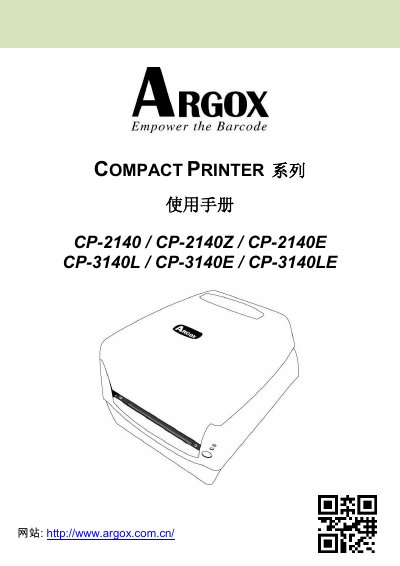
Argox Compact Printer Series User Manual (CP-2140/CP-2140Z/CP-2140E/CP-3140L/CP-3140E/CP-3140LE)
This user manual covers the CP Compact Printer Series, including models CP-2140, CP-2140Z, CP-2140E, CP-3140L, CP-3140E, and CP-3140LE. It guides users through unboxing, printer overview, connecting power and cables, loading paper and ribbon, and configuring settings via software or drivers. This manual is written in Chinese.
Read onlineArgox CP-2140E specifications
| Print Method | Thermal Transfer / Direct Thermal |
|---|---|
| Resolution | 203 dpi (8 dots/mm) or 300 dpi (12 dots/mm) |
| Print Speed | 2~4 ips (50~101.6 mm/s) |
| Max Print Length | 100 inches (2540mm) |
| Max Print Width | 4.1 inches (104mm) |
| CPU Type | 32-bit RISC Microprocessor |
Source: Argox Compact Printer Series User Manual (CP-2140/CP-2140Z/CP-2140E/CP-3140L/CP-3140E/CP-3140LE)
All Argox CP-2140E documents by type
Day-to-day operation, settings and troubleshooting. Start here if the product is already set up.
Questions answered in these manuals
What is the maximum print length supported?
The printer supports a maximum print length of 100 inches.
From: Argox Compact Printer Series User Manual (CP-2140/CP-2140Z/CP-2140E/CP-3140L/CP-3140E/CP-3140LE)
What is the maximum print length for this printer?
The maximum printable length is 100 inches (2540mm).
From: Argox Compact Printer Series User Manual (CP-2140/CP-2140Z/CP-2140E/CP-3140L/CP-3140E/CP-3140LE)
How do I connect the printer to a host via the parallel port?
Use the 36‑pin Centronics connector; pin 1 is In n/STROBE, pin 16 is Ground, pins 2‑9 carry data, and pins 10‑12 provide status signals as shown in the pinout table.