
Key facts
Start here
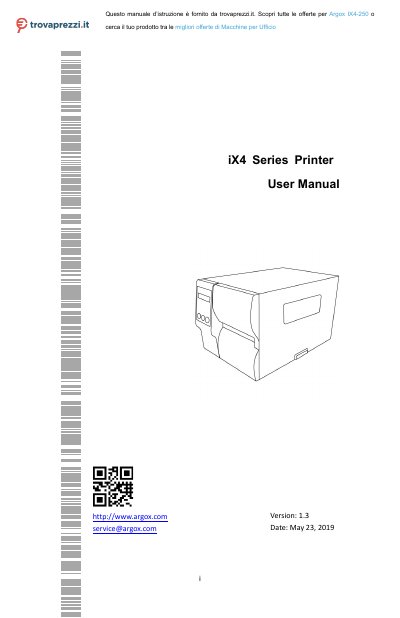
Argox iX4 Series Printer User Manual
This manual explains how to set up and operate the Argox iX4 series industrial barcode printers, including unpacking, controls, power, and loading media and ribbon.
It also covers printer operation, calibration, communications, driver installation, maintenance, troubleshooting, and technical specifications for the iX4-200, iX4-240, iX4-250, and iX4-350 models.
Argox iX4 Series specifications
| Print method | Direct Thermal & Thermal Transfer |
|---|---|
| Resolution | 203 dpi (8 dots/mm) or 300 dpi (12 dots/mm) |
| Maximum print speed | 8 IPS |
| Print width | 4.08 in (103.7 mm) or 4.13 in (105 mm) |
| Media width | 1 in (25.4 mm) to 4.4 in (112 mm) |
| Media thickness | 0.0025 in to 0.01 in (0.0635 mm to 0.254 mm) |
| Media types | Roll-feed, die-cut, continuous, fan-fold, tags, ticket, plain paper, or label |
| Ribbon width | 1 in to 4 in (25.4 mm to 101.6 mm) |
| Ribbon length | Max. 450 m (wax or semi-resin) |
| Ribbon types | Wax, Wax/Resin, Resin |
| Onboard memory | 32 MB SDRAM and 16 MB Flash ROM |
| USB storage | Up to 32 GB (FAT32 format only) |
| RTC battery | CR2032, +3V, 225 mAh |
| Standard communication | Ethernet, dual USB hosts, USB device, and RS-232 |
| Programming language | PPLA, PPLB, PPLZ |
| CPU | 32-bit RISC microprocessor |
| Agency listings | CE, FCC, CB/LVD, cULus, ICES, Energy Star |
All Argox iX4 Series documents by type
Day-to-day operation, settings and troubleshooting. Start here if the product is already set up.
Questions answered in these manuals
What is included in the box with the Argox iX4 printer?
The package includes the printer, a Quick Installation Guide, a DVD, a USB cable, an AC power cord, and a 1-inch ID core for ribbon.
What media types can the iX4 series printer use?
It supports roll-feed, die-cut, continuous, fan-fold, tags, ticket, plain paper, or label media.
How do I install the Printer Tool?
Insert the DVD into your drive, locate the installation file, and follow the dialog box instructions to choose a path and click Next.
From: Argox D2/D4/O4/P4/I4/iX4 Series Printer Tool User Guide
What is the purpose of the Printer Tool?
The Printer Tool provides a user-friendly interface to configure the printer, define properties, update firmware, and send commands.
From: Argox D2/D4/O4/P4/I4/iX4 Series Printer Tool User Guide