
Key facts
- Brand
- Argox
- Model
- PA-20
- Category
- Other Electronics
- Documents
- 2
- Languages
- EN
- Last added
- 2026-10-29
Start here
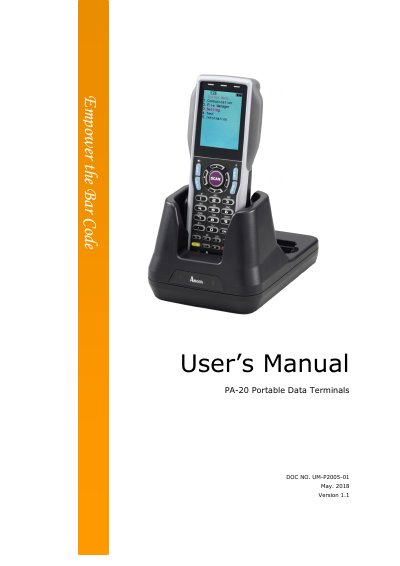
Argox PA-20 Portable Data Terminal User's Manual
The Argox PA-20 is a portable data terminal (PDT) featuring a built-in CCD scanning engine capable of reading various barcodes up to 13 inches away. It operates using rechargeable Li-Polymer or Li-ion batteries depending on the configuration and communicates via RS-232 serial or USB interfaces with compatible cradles like the CRD-22.
Read onlineArgox PA-20 specifications
| CPU | ARM9 Core 533MHz |
|---|---|
| RAM | 16MB |
| Display | 2.4" LCD TFT Transmissive, 240 x320 QVGA 65K colors |
| Battery (Terminal) | Rechargeable 3.7V 1950 mAh Li-Polymer |
| Battery (Gun type) | Rechargeable 3.7V 5000mAh Li-ion |
| Scanner System | Long Range CCD scanner 2048 pixels |
| Operating Temperature | -10℃ to 60℃ / 14℉ to 140℉ |
| IP Rating | IP54 |
All Argox PA-20 documents by type
Day-to-day operation, settings and troubleshooting. Start here if the product is already set up.
Questions answered in these manuals
What is the working hour of the terminal with a 1950mAh battery?
The working hour is greater than 18 hours when scanning every 5 seconds.
What barcode types can the PA-20 read?
It reads Code 11, Code 39, Code 93, Code 128, Codabar, EAN-8, EAN-13, and others.
What is the PA-20?
The PA-20 series is a portable data terminal (PDT) suited for a variety of portable applications.
How far can the PA-20 scan bar code labels?
It can scan popular bar code labels at varying distances up to 13 inches.