
User guide for iBright™ Imaging Systems Sample Blot, covering chemiluminescent and fluorescent acquisition, molecular weight determination, and…
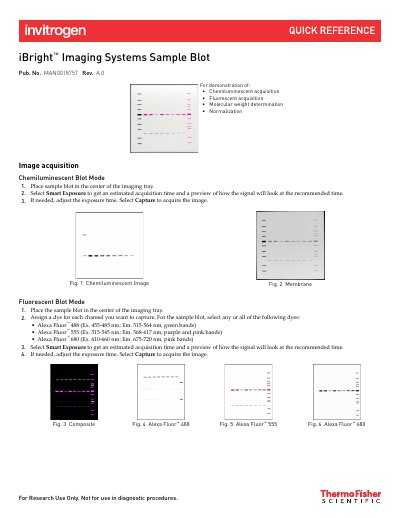
This document provides step-by-step instructions for using the iBright™ Imaging Systems Sample Blot to capture chemiluminescent and fluorescent images. It details how to place the blot, select dyes, use Smart Exposure, and capture images. The guide also explains how to analyze results, including molecular weight determination using a prestained protein ladder and normalization between channels.
The document includes figures illustrating image capture and analysis, and notes that the software automatically identifies lanes and bands. It also contains legal disclaimers, warranty information, and contact details for support.
Place the sample blot in the center of the imaging tray.
Alexa Fluor™ 488, Alexa Fluor™ 555, and Alexa Fluor™ 680.
Select a lane with the iBright™ Prestained Protein Ladder, delete the 80 kDa and 30 kDa bands if needed, and use the software to identify bands for accurate MW calculation.
Use the Alexa Fluor™ 488 channel as the normalization lane and Alexa Fluor™ 680 as the experimental protein target.