
Thermaltake M360 Plus or Base liquid cooling system installation manual with setup, tubing, and filling instructions for expert users.
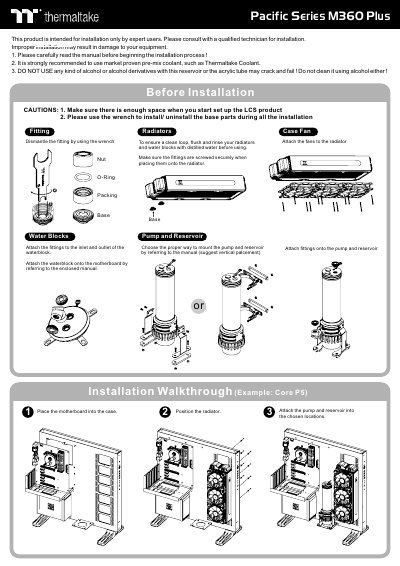
This installation guide covers the Thermaltake Pacific Series M360 Plus or Base liquid cooling system. It is intended for expert users, who should consult a qualified technician, and it recommends market-proven pre-mix coolant such as Thermaltake Coolant while warning that alcohol can crack acrylic tubes.
The manual walks through radiator and fan mounting, pump and reservoir placement, water block installation, tubing cutting and attachment, loop order, and system filling. It also includes leak testing, power cycling, and air bleeding steps after the water loop is completed.
| Recommended coolant | Thermaltake Coolant 1000 |
|---|---|
| Pump power connector | 4pin molex |
| Example case | Core P5 |
| Air bleeding duration | about 24 hours |
| Prohibited fluid | alcohol or alcohol derivatives |
Use market-proven pre-mix coolant such as Thermaltake Coolant 1000.
No. Alcohol or alcohol derivatives can crack and fail the acrylic tube.
Immediately turn off the power and clean the leak.
Run it for about 24 hours to completely bleed the air out of the loop.