
Linksys Managed Switches Quick Start Guide

This guide provides quick start information for Linksys managed switches, including installation steps, LED indicators, port modes, and web configuration…
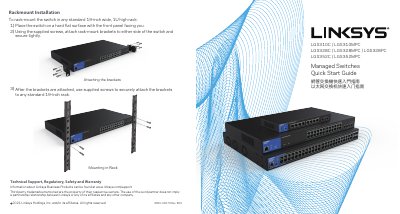

Linksys Managed Switches Quick Start Guide - cover page
Brand
Linksys
Category
Network Switches
Document type
Quick Start Guide
Language
Chinese
Pages
4
File format
PDF
File size
6.9 MB
Published
18 October, 2026
Updated
18 October, 2026
MD5 checksum
C9D838F44E8CD7431E72BCCDD33434D9

About this manual

This document serves as a Quick Start Guide for the Linksys LGS310C, LGS310MPC, LGS328C, LGS328MPC, LGS328PC, LGS352C, and LGS352MPC managed switches. It covers essential setup procedures such as rack-mount installation using the supplied kits and initial web-based configuration via a browser. This manual is written in Chinese.

What's inside

  • Rackmount Installation
  • LED Indicators
  • Port Modes
  • Web Configuration
  • Package Contents

Frequently asked questions

What is the default IP address for the switch if no DHCP server is present?

The default IP address is 192.168.1.251 with a subnet mask of 255.255.255.0.

How do you reset the switch to factory settings?

Hold the button for more than 10 seconds to reset the switch to factory settings.

What does a solid green Power LED indicate?

A solid green Power LED indicates the switch is powered on and operating normally.

Download PDF (6.9 MB)

More Linksys Manuals


View all Linksys manuals →