
The JVC DT-V1700CG Multi-Format Monitor User Manual provides setup, safety, operation, menu and specifications instructions.
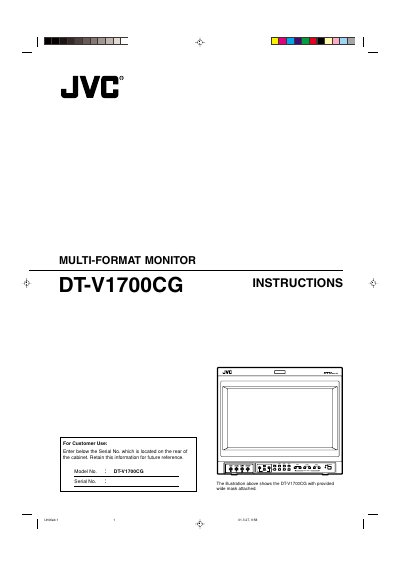
This manual explains how to install, configure and operate the JVC DT-V1700CG multi‑format monitor. It covers safety precautions, handling, power requirements and optional input‑card installation.
Key sections include controls and features, menu navigation (main and setup menus), external control, troubleshooting, and a full specification sheet. The document also details how to attach the optional wide mask and how to de‑gauss the CRT screen.
| Type | Multi-format monitor |
|---|---|
| Picture Tube | 17" measured diagonally |
| Effective Screen Size | Width 13" (330 mm) × Height 9‑7/8" (250 mm) × Diagonal 16‑1/4" (410 mm) |
| Scanning Frequency | H: 15 kHz–45 kHz, V: 50 Hz–100 Hz |
| Video Band (Component) | 25 MHz (‑3 dB) |
| Video Band (Y/C) | 8 MHz (‑3 dB) |
| Horizontal Resolution | 600 TV lines (Y/C), 800 TV lines (1080/60i) |
| Power Requirements | 120 V AC, 50 Hz/60 Hz |
| Power Consumption | 1.56 A (no input card) – 1.85 A (with input card) |
| Dimensions (without mask) | Width 15‑5/8" (395 mm) × Height 13‑1/4" (334 mm) × Depth 18‑3/8" (466.5 mm) |
| Audio Output | 1 W monaural |
| Operating Temperature | 5 °C – 35 °C (41 °F – 95 °F) |
Use only the specified 120 V AC, 50 Hz/60 Hz power source, keep flammable materials, water and metal objects away, and do not modify or disassemble the unit.
Press the DEGAUSS button; the lamp lights while de‑gaussing occurs automatically and turns off when the process is complete.
No. The wide mask must be attached before the monitor is installed in a rack using the supplied screws.