
This French user guide covers the setup, configuration, and usage of the Focusrite Vocaster One Studio audio interface, including microphone connections…
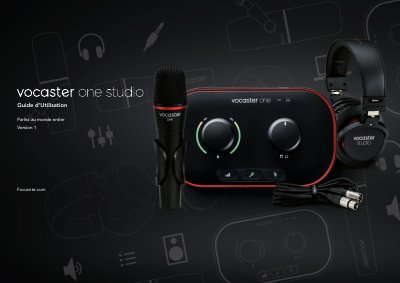
The Focusrite Vocaster One Studio is a complete audio solution designed for podcasters, vloggers, voice-over artists, and streamers. The package includes the Vocaster One interface, a dynamic Vocaster DM1 microphone, a Vocaster HP60v headphone, and necessary cables to record high-quality audio on Mac or Windows computers.
The manual details how to use the Easy Start Tool for initial setup on various operating systems (Mac, Windows, iPad) and explains hardware features such as the automatic gain control, Enhance function, and microphone cut buttons. It also provides instructions for connecting microphones, headphones, phones, and cameras, as well as using the Vocaster Hub software to control mixing and routing. This manual is written in French.
| Resolution | 24 bits |
|---|---|
| Sample Rate | 48 kHz |
The pack includes a Vocaster One interface, a dynamic Vocaster DM1 microphone, a Vocaster HP60v headphone, an XLR cable, and a USB Type A to C cable.
Yes, if you use a condenser microphone, the Vocaster One provides the necessary 48V phantom power.