
Key facts
- Manuals
- 7
- Languages
- ZH · EN
- Last added
- 2026-10-01
Featured Focusrite manuals
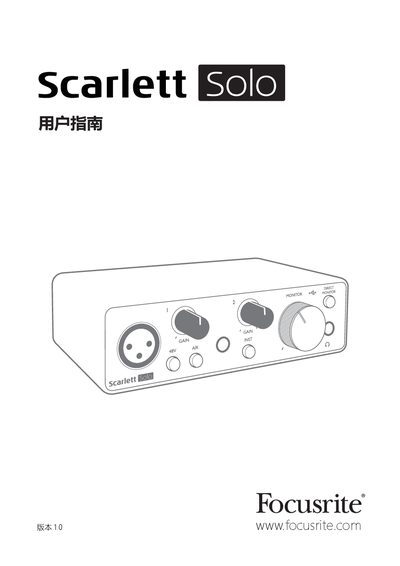
Focusrite Scarlett Solo User Manual
This guide introduces the third‑generation Scarlett Solo audio interface, describing its high‑quality pre‑amps, AIR feature, balanced outputs and USB‑powered operation. It walks users through installation on macOS or Windows, registration, and how to use the Focusrite Control software to unlock full functionality.
The manual also covers detailed hardware descriptions, connection options for microphones, instruments and speakers, direct monitoring, and provides full technical specifications, physical dimensions and troubleshooting steps. This manual is written in Chinese.
Covers: Overview · Features · System Requirements · Getting Started · Hardware Functions · Front Panel
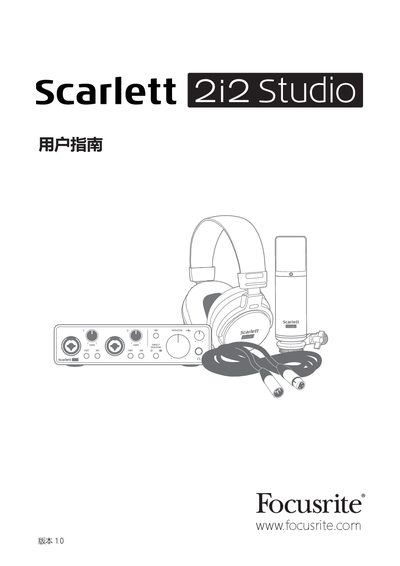
Focusrite Scarlett 2i2 Studio Audio Interface User Manual
This guide introduces the Scarlett 2i2 Studio bundle, which includes the third‑generation Scarlett 2i2 audio interface, the CM25 MkIII condenser microphone, the HP60 MkIII headphones, and all required cables and software. It explains the product’s purpose, key features, and what is included in the packaging.\n\nThe manual covers system requirements, quick‑start installation, detailed hardware functions, software configuration, audio specifications, and a troubleshooting section. It also provides instructions for connecting microphones, instruments, headphones, and speakers, as well as using direct monitoring and the AIR feature.
Covers: Overview · Features · Package Contents · System Requirements · Setup and Quick Start · Hardware Functions
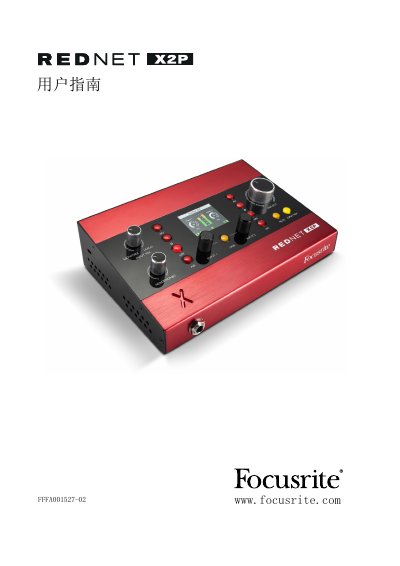
Focusrite RedNet X2P User Guide
The Focusrite RedNet X2P is a Dante‑enabled audio interface with two local mic/line/instrument preamp channels and two high‑quality digital‑to‑analog conversion channels, offering independent headphone and line outputs. It is housed in a compact aluminum chassis with front‑panel LCD status display and rear‑panel Ethernet and analog connectors.
This user guide covers unpacking, power options (PoE or 12 V DC), front‑panel controls, rear‑panel connections, physical specifications, performance specifications, firmware updates, troubleshooting, warranty information and how to register the product.
Covers: 包装内容 · 说明 · 安装指南 · RedNet X2P 连接与功能 · 顶部面板 · LCD 屏幕
Focusrite RedNet 6 User Guide
The RedNet 6 is a MADI (AES10) audio interface that also functions as a RedNet Ethernet audio system, built on Audinate’s Dante technology. This guide helps users install, connect, and operate the unit.
It covers safety notices, unpacking, front‑ and rear‑panel functions, power requirements, sample‑rate conversion, firmware updates, performance specifications, warranty, and support contacts. This manual is written in Chinese.
Covers: Safety Information · Product Overview · Installation Guide · Connections and Functions · Front Panel Description · Rear Panel Description
Latest Focusrite manuals
Focusrite Scarlett Solo User Manual
User Manual 20 pages · 1.8 MB · ZHThe Focusrite Scarlett Solo user manual provides setup, operation, specifications and troubleshooting for the audio interface.
Focusrite Scarlett 2i2 Studio Audio Interface User Manual
User Manual 22 pages · 2.1 MB · ENThe Focusrite Scarlett 2i2 Studio user manual provides setup, features, specifications, and troubleshooting for the audio interface, microphone, and headphones.
Focusrite RedNet X2P User Guide
User Manual 21 pages · 3.6 MB · ENThe guide explains installation, connections, features and operation of the Focusrite RedNet X2P Dante audio interface.
Focusrite RedNet 6 User Guide
User Manual 18 pages · 13 MB · ZHThe Focusrite RedNet 6 User Guide provides installation, connection, operation, and safety information for the MADI audio interface.
Focusrite ISA 428 MkII 4-Channel Mic Preamp User Guide
User Manual 18 pages · 1.8 MB · ZHThe Focusrite ISA 428 MkII User Guide provides installation, operation, specifications, and warranty information for the 4‑channel microphone preamplifier.
Focusrite ISA ADN2/8 Card Installation and User Guide
Installation Guide 8 pages · 773 KB · ENStep‑by‑step installation and configuration guide for the Focusrite ISA ADN2/8 Card used in ISA One, ISA 428 MkII and ISA 828 MkII units.
Focusrite Clarett+ OctoPre User Manual
User Manual 20 pages · 3.6 MB · ENUser guide for the Focusrite Clarett+ OctoPre 8‑channel mic preamp with ADAT connectivity.
Which document do I need?
User Manual
Day-to-day operation, settings and troubleshooting. Start here if the product is already set up.
Installation Guide
Mounting, wiring and first power-up. Read it before the hardware goes in.
Questions answered in Focusrite manuals
How can I exit MSD mode without registering?
Connect the Scarlett Solo to the computer and press the 48 V button for five seconds; the device will leave MSD mode and enable full functionality.
What are the system requirements for the Scarlett Solo?
Check the operating system compatibility on the Focusrite website using the OS checker at https://customer.focusrite.com/downloads/os or the support center for the latest information.
What are the system requirements for using the Scarlett 2i2 Studio?
The interface works with macOS and Windows computers that support USB 2.0 or higher; specific OS versions can be checked on the Focusrite online OS checker.
From: Focusrite Scarlett 2i2 Studio Audio Interface User Manual
How can I exit MSD mode without registering the device?
Connect the Scarlett 2i2 to the computer and press the 48 V button for five seconds; this forces the unit out of MSD mode, after which full functionality is available.
From: Focusrite Scarlett 2i2 Studio Audio Interface User Manual
What is the gain range for each input channel?
Each local input gain encoder provides a gain range of 0 dB to 68 dB in 1 dB steps.
What safety precautions should be followed when using the RedNet 6?
Do not use the unit in wet or damp locations, keep ventilation holes uncovered, use only the supplied accessories and a dry cloth for cleaning, and ensure proper grounding of the power cable.