
The Focusrite Vocaster Two User Manual provides setup, hardware features, connection options, and troubleshooting for the Vocaster Two audio interface.
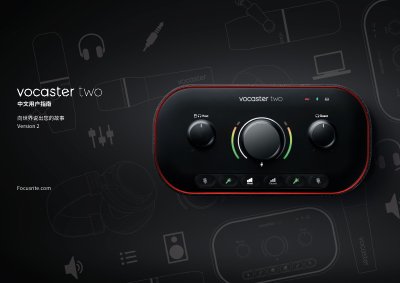
This guide introduces the Vocaster Two audio interface, its hardware features, packaging contents, and operating system requirements. It explains how to get started with the Easy Start Tool, and provides step‑by‑step instructions for Mac, Windows, and iPad users.
The manual also covers detailed connection options – microphone inputs with 48 V phantom power, headphone and speaker outputs, Bluetooth and video‑camera links – as well as software setup with Vocaster Hub, DAW audio configuration, and a full specifications section. A troubleshooting chapter points users to Focusrite’s support resources. This manual is written in Chinese.
| Sample Rate | 48 kHz |
|---|---|
| Maximum Current | 0.9 A |
| Phantom Power | 48 V |
| Microphone Input Impedance | 3 kΩ |
| Frequency Response (Audio) | 20 Hz – 20 kHz ±0.5 dB |
Vocaster Two supplies 48 V phantom power for compatible condenser microphones.
The interface uses Bluetooth 5.0 for wireless connections.
Vocaster Two consumes up to 4.5 W of power.