
The Extech HD500 heavy‑duty hygrometer user guide explains its features, operation, specifications, and safety precautions.
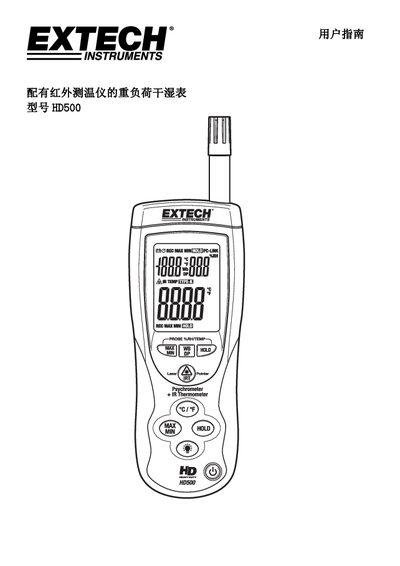
This guide introduces the Extech HD500 heavy‑duty hygrometer, a handheld instrument that measures air temperature, relative humidity, dew point, wet‑bulb temperature and surface temperature with an integrated infrared sensor and K‑type thermocouple input. It describes the instrument’s layout, buttons, display icons and safety warnings for laser use.
Operational instructions cover basic measurements, switching between temperature, wet‑bulb and dew‑point modes, infrared surface temperature measurement, data hold, min/max recording, auto‑shutdown settings, battery replacement, backlight control and USB PC communication. The manual also provides infrared measurement considerations, emissivity tables, general specifications and detailed temperature/humidity range specifications. This manual is written in Chinese.
| Display | Dual‑function LCD, 9999 pixels |
|---|---|
| Sample rate | 1 reading per second |
| Temperature sensor | Thermistor |
| Humidity sensor | Capacitive relative humidity |
| Infrared distance‑to‑spot ratio | 30:1 |
| Infrared spectral response | 6 µm to 14 µm |
| Infrared emissivity setting | 0.95 |
| Operating temperature range | 32 °F to 122 °F (0 °C to 50 °C) |
| Relative humidity range | up to 80 % |
| Dimensions | 10.1 × 3.0 × 2 in (257 × 76 × 53 mm) |
| Weight | 12.5 oz (355 g) |
Press the WB/DP button to toggle among air temperature, wet‑bulb temperature and dew‑point readings.