
A portable ergonomic lift stand for mounting CPUs and displays, featuring height adjustment and compatibility with various systems.
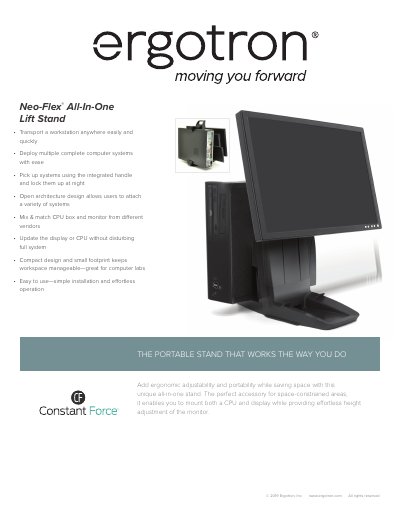
The Ergotron Neo-Flex All-In-One Lift Stand is a portable solution designed to mount both a CPU and a display. It features an open architecture that allows users to mix and match components from different vendors and update the display or CPU without disturbing the full system. The stand includes an integrated handle for easy transport and locking capabilities for security when not in use.
Key features include a patented Constant Force lift-and-pivot motion technology for ergonomic comfort, a five-inch height adjustment range, and a total weight capacity of 37 lbs. The unit supports displays up to 24 inches and small form factor CPUs, with optional mounting options for worksurface attachment.
| Display Weight Capacity | 6–16 lbs (2,7–7,2 kg) |
|---|---|
| Total Stand Capacity | 37 lbs (16,7 kg) |
| Height Adjustment | 5″ (13 cm) |
| Tilt Range | 30° / +25° / -5° |
| Pan Range | 360° |
| Rotation | 90° |
| Shipping Weight | 8 lbs (3,6 kg) |
| Warranty | 3 years |
The stand includes the stand, CPU strap, manual, VESA monitor mounting kit, and cable ties.
The stand is compatible with most 15–24″ displays.
Yes, two M4 threaded screw inserts are located at the bottom of the base for attachment.