
The Zebra® Xi4™ high-performance printers deliver exceptional print quality, fast print speeds, long life, and unparalleled reliability in harsh environments—these features will provide customers with an extremely low total cost of ownership—a wise investment for businesses facing high-volume, mission-critical, or specialty label printing applications.
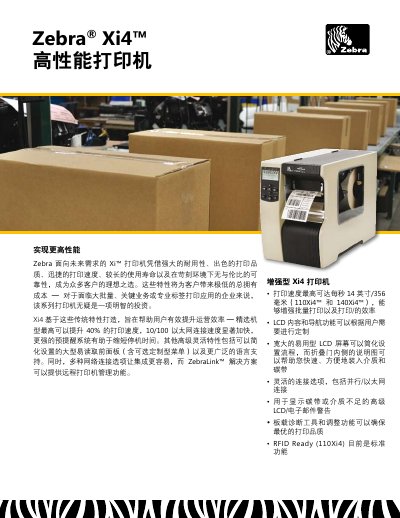
The Zebra Xi4 is a high‑performance, durable label printer designed for large‑volume and mission‑critical applications. It offers fast print speeds, robust networking options, and advanced consumable monitoring to minimize downtime.
The manual covers installation, network configuration, media handling, software integration, and maintenance procedures, along with detailed technical specifications and troubleshooting guidance. This manual is written in Chinese.
| Print speed | Up to 14 inches/second (356 mm) |
|---|---|
| Processor | 32‑bit 133 MHz RISC |
| Flash memory | 2.0 MB user‑available non‑volatile |
| Power input | 90‑264 VAC, 48‑62 Hz |
| Maximum media roll diameter | 8 in (203 mm) |
| Supported media thickness | 0.003 in – 0.012 in (0.076 mm – 0.305 mm) |
| Operating temperature (thermal transfer) | 40 °F–105 °F (5 °C–40 °C) |
The Xi4 can print up to 14 inches per second (356 mm).
It provides real‑time consumable monitoring with LCD/email warnings and a transparent side door for easy visual checks.
The Xi4 supports 10/100 Ethernet and secure 802.11b/g wireless connectivity.