
This document is the installation/operation manual for Fagor Automation S. Coop. 20i-T / 30i-T 20i-T B / 30i-T B digital readout. The digital readout has functions such as display mode, incremental mode, absolute mode, machine zero point selection and search, tool operation, and special operation.
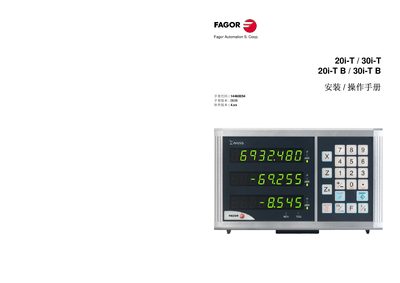
The 20i-T and 30i-T are digital readout (DRO) devices that display axis positions on an 8‑digit LED panel. They support up to three axes and include functions such as tool preset, absolute/incremental modes, and quick‑setting shortcuts.
This manual covers the front‑panel layout, power‑on procedure, installation steps, wiring connections, parameter configuration, error‑code reference, and recommended maintenance practices. This manual is written in Chinese.
| LED display per axis | 8‑digit characters, 14.1 mm high |
|---|---|
| Number of axes displayed | 2 or 3 axes |
| Tool preset capacity | 20 tool presets (tool 0‑19) |
| Reference pulse interval (ruler) | Every 50 mm |
| Power‑on display | Shows “FAGOR DRO” or error code |
Press the on/off key; the display powers up automatically and shows “FAGOR DRO” or an error code.
The device can store up to 20 tool preset parameters, numbered from tool 0 to tool 19.
The ABS light is illuminated when the readout is operating in absolute coordinate mode.