
This manual describes the various functions and operational methods of the CASIO EX-Z70 digital camera.
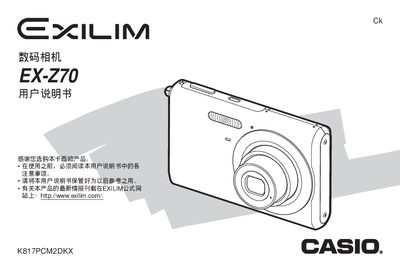
This manual explains how to set up and operate the EX-Z70 digital camera, covering safety precautions, battery charging, basic shooting modes, and menu navigation. It also details how to use the camera's various functions such as image size selection, flash modes, and playback.
Advanced features are covered, including BEST SHOT and Business Shot modes, file management, printing via PictBridge or USB Direct‑Print, and connecting the camera to Windows or Macintosh computers. Technical specifications such as dimensions, weight, battery details, and power requirements are listed at the end of the document.
| Dimensions (W×H×D, excl. protrusions) | 33 mm × 30 mm × 4.7 mm |
|---|---|
| Weight (without battery & accessories) | 118 g |
| Battery capacity | 200 mAh |
| Battery voltage | 37 V |
| Power input | 100‑240 V AC, 80 mA, 50/60 Hz |
| Output voltage | 4.2 V, 600 mA |
| Charging time (full) | ≈90 minutes |
| Operating temperature range | 0 °C – 40 °C |
| Battery weight | 16 g |
Connect the AC adapter (BC‑11L) to a 100‑240 V AC source; a full charge takes about 90 minutes.
The camera measures 33 mm wide, 30 mm high and 4.7 mm thick, not counting protruding parts.
Yes, the camera supports direct printing via PictBridge or USB Direct‑Print.
Use the supplied USB cable and install the Photo Loader software; the manual provides step‑by‑step instructions.