
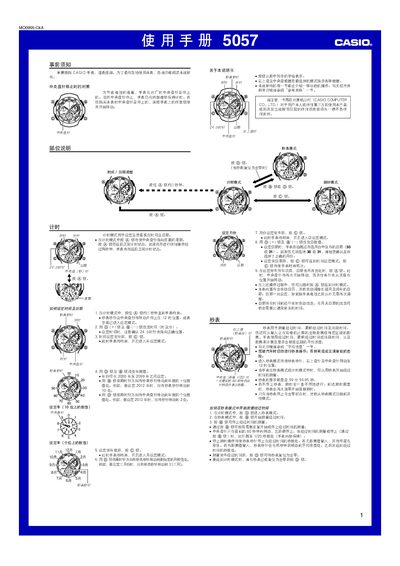
This manual provides step‑by‑step instructions for operating the Casio 5057 watch. It covers basic functions such as setting the time and date, using the stopwatch and timer modes, and configuring segment distance and speed calculations.
Additional sections describe how to adjust the hands to the correct positions, automatic calendar handling, battery replacement, and technical specifications. The reference data section offers detailed technical notes for advanced users. This manual is written in Chinese.
| Accuracy | 20 seconds per month |
|---|---|
| Measurement limit | 59:59.95 |
| Measurement unit | 1/20 second |
| Measurement modes | Elapsed time, cumulative elapsed time, interval time |
| Segment distance input range | 0.0 – 14.9 |
| Battery type | SR927W silver‑oxide cell |
Enter the time‑setting mode, then press and hold the @ button for about three seconds to activate the setting mode; use the @ and other buttons to adjust hours, minutes, and date.
The watch uses a single SR927W silver‑oxide battery, which typically provides about three years of operation.