
TEH1226G/TEH1224G/TEH1224/TEH1216 Web Management Ethernet Switch is a 1000BASE-T Ethernet Switch, providing 16 / 24 / 24 / 16 1000BASE-T ports and supporting 802.1Q VLAN, Port-Based VLAN, Trunk, QoS, MAC address filtering, static MAC address, line diagnostics, software upgrade, password change, IP address setting, MAC address aging, DHCP client, factory reset, backup setting, restore setting, and logout.
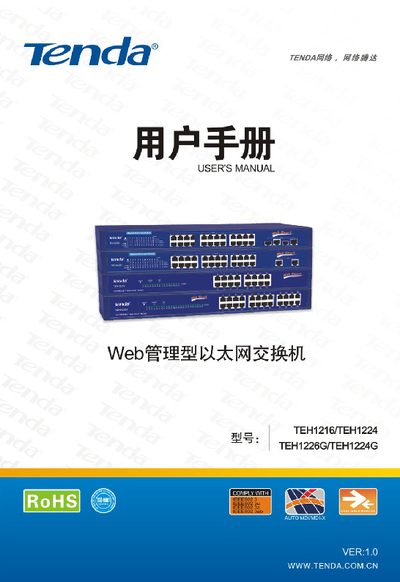
This manual introduces the TEH1216, TEH1224, TEH1224G and TEH1226G web‑managed Ethernet switches, highlighting their port configurations, VLAN and QoS features, and suitability for small‑to‑medium enterprises and broadband access. It also explains the switch’s hardware layout, power requirements, and LED indicators.
The guide walks users through hardware installation, web‑based configuration, and advanced settings such as port mirroring, bandwidth control, VLAN modes, trunking, MAC address management, and system backup. Appendices cover technical support, common command references, and TCP/IP setup examples. This manual is written in Chinese.
| 10/100M RJ45 ports | 16 (TEH1216) / 24 (TEH1224, TEH1224G, TEH1226G) |
|---|---|
| 10/100/1000M RJ45 ports | 2 (TEH1224G, TEH1226G) |
| SFP (Mini GBIC) ports | 2 shared SFP ports (TEH1226G only) |
| Backplane bandwidth | Up to 8.8/8.8/4.8/3.2 Gbps |
| MAC address table size | 8 K entries |
| VLAN support | 64 groups of IEEE 802.1Q Tag VLAN |
| Power input | AC100‑240 V, 50‑60 Hz |
Press and hold the Reset button until the SYS LED changes from solid to flashing and then turns off; the switch will then restore factory settings.
Open the network connection properties, select “Use the following IP address”, enter an address like 192.168.0.xxx and subnet mask 255.255.255.0, then apply the settings.
The TEH1226G provides 24 ten‑hundred‑megabit ports, two 10/100/1000 Mbps RJ45 ports, and two shared gigabit SFP (Mini GBIC) fiber ports.
Yes, the switch supports SFP module hot‑plug without needing to power down.