
Key facts
- Manuals
- 51
- Models
- 11
- Categories
- 3
- Languages
- ZH · EN · PL · FR
- Last added
- 2026-10-02
Tenda models by category
Featured Tenda manuals
Tenda PW3 PA3 1000M Wireless Router Powerline Kit User Manual
This manual introduces the PW3 wireless router and PA3 powerline adapter, describing their indicators, buttons and basic functions. It explains how the devices combine Wi‑Fi and HomePlug AV2 powerline technology to extend wired and wireless networks throughout a home.
Detailed sections cover hardware wiring options, PW3 and PA3 configuration steps, pairing procedures, Wi‑Fi scheduling, system management, and a troubleshooting appendix with common issues and solutions. This manual is written in Chinese.
Covers: Device Overview · Hardware Connection · PW3 Configuration · Pairing Procedure · PA3 Configuration · Appendix
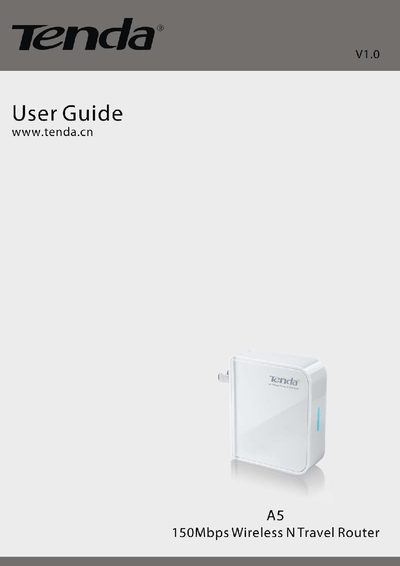
Tenda A5 Travel Wireless N Router User Manual
The Tenda A5 Travel Wireless N Router is a compact 150 Mbps router designed for use in hotels, job sites, or any location where a quick wireless network is needed. It supports both wired and wireless WAN connections and can serve up to 10 users simultaneously.
This manual covers product overview, hardware installation, wired and wireless WAN setup, detailed configuration options—including WAN, LAN, wireless security, MAC filtering, and advanced tools such as firmware upgrade, syslog, and backup/restore. Appendices list features and regulatory compliance information.
Covers: Product Overview · Installation · Configuration · Advanced Settings · Wireless Settings · Security Settings

Tenda AC1206 Wireless Wall‑Penetrating Gigabit Router User Manual
This manual provides step‑by‑step instructions for installing and configuring the Tenda AC1206 wireless wall‑penetrating gigabit router. It covers initial setup, internet connection methods, and detailed configuration of Wi‑Fi, guest networks, parental controls, VPN services and advanced functions.
Additional sections describe system management tasks such as firmware upgrades, backup/restore, log viewing and troubleshooting tips, helping users maintain reliable network performance. This manual is written in Chinese.
Covers: Product Introduction · Setup Internet · Page Introduction · Network Status · WAN Settings · Wireless Settings
Tenda TEM5628PF Modem User Manual
This manual introduces the Tenda TEM5628PF modem, lists the items included in the package, and guides you through hardware installation, including PCI slot insertion and telephone line connections. It also covers software installation for Windows 9x/2000 systems, showing how to locate drivers and complete the setup.
Further sections explain how to add a dial‑up network, configure TCP/IP, and establish a connection, followed by warranty information and customer service contacts for Tenda products sold in mainland China. This manual is written in Chinese.
Covers: Product Introduction · Item List · Hardware Installation · Software Installation (Win9x example) · Dial‑up Internet Setup · Warranty Information
Latest Tenda manuals
Tenda PW3 PA3 1000M Wireless Router Powerline Kit User Manual
User Manual 46 pages · 3.8 MB · ZHThe Tenda PW3 PA3 1000M kit user manual explains device overview, hardware connection, configuration and troubleshooting for the wireless router and…
Tenda A5 Travel Wireless N Router User Manual
User Manual 68 pages · 3.2 MB · ENThe Tenda A5 Travel Wireless N Router User Manual provides setup, configuration, and management instructions for the 150 Mbps portable router.
Tenda AC1206 Wireless Wall‑Penetrating Gigabit Router User Manual
User Manual 140 pages · 5.5 MB · ZHThe Tenda AC1206 router user manual explains setup, wireless features, VPN, parental controls and system management for this high‑performance Wi‑Fi device.
TENDA 11N Wireless USB Adapter User Guide(1)
This manual introduces the features of the 11N Wireless USB Adapter, product deployment, indicator description, package contents and installation guide.
TENDA Wireless Network Adapter User Guide(1)
This file is the user manual of Tenda Wireless Network Adapter, which introduces the function features and how to use the product.
Tenda 11N Wireless Broadband Adapter User Guide
This document describes the features and characteristics of the 11N Wireless Broadband Router, including product features, package contents, LED indicators, and port descriptions.
TENDA 11N Wireless Broadband Router User Guide(1)
This manual introduces the features and characteristics of the 11N wireless broadband router, as well as how to install, use and configure the router.
TENDA W54A 54M wireless AP User Guide
This guide introduces the features of the W54A 54M Wireless AP product and how to install, configure and use the product.
Tenda W302R router
TENDA Wireless-N broadband Router user manual
Tenda W330R wireless router is a high-performance gigabit wireless router that supports IEEE802.11n standard, with a transmission speed of up to 300Mbps, which can meet the needs of home, office, small business and other scenarios.
TENDA Wireless Network Adapter Users Guide
This user guide introduces the features and usage of Tenda wireless network adapter products.
TENDA TED8620 User Guide
This document is the user manual for TED8620 ADSL MODEM/ROUTER/FIREWALL, including the features and characteristics of the product.
TENDA D820R ADSL2+ Router User Guide
This document introduces the features and characteristics of the D820R ADSL2+ router
TENDA 11N Wireless USB Adapter User Guide
11N Wireless USB Adapter User Guide, describing the features and characteristics of the product.
TENDA Wireless-N Broadband Router User Guide
This document is about the copyright statement and basic configuration guide for the Tenda Wireless-N Broadband Router. The document mentions that the router is a registered trademark of Shenzhen Tenda Technology Co., Ltd. and features wireless functionality and network configuration settings.
Which document do I need?
User Manual
Day-to-day operation, settings and troubleshooting. Start here if the product is already set up.
Installation Guide
Mounting, wiring and first power-up. Read it before the hardware goes in.
Quick Start Guide
The shortest path to a working setup, usually only a few pages.
Questions answered in Tenda manuals
How do I reset the router to factory defaults?
Press the Reset button for 7 seconds; the router will restore to factory default settings.
What wireless security modes does the Tenda A5 support?
It supports WEP, WPA‑PSK, WPA2‑PSK, and WPA&WPA2‑PSK security modes.
What is the warranty period for the TEM5628PF modem?
The product is covered by a one‑year warranty from the date of purchase.
What is the maximum wireless data rate of the TWL542U?
The device can achieve up to 54 Mbps depending on the selected transmission mode.
From: Tenda TWL542U 54M Wireless USB Network Card User Manual
Where can I find troubleshooting information for installation problems?
Visit Tenda’s support site at www.tenda.com.cn → Technical Support → Download Center for the latest drivers and troubleshooting guides.
From: Tenda TWL542U 54M Wireless USB Network Card User Manual
How do I install the Tenda TL541C wireless network card?
Insert the card into the PC's CardBus slot, run the InstallShield wizard from the supplied CD, and follow the on‑screen prompts such as clicking “Next” and choosing the installation directory.