
This is an instruction manual for an electronic dictionary.
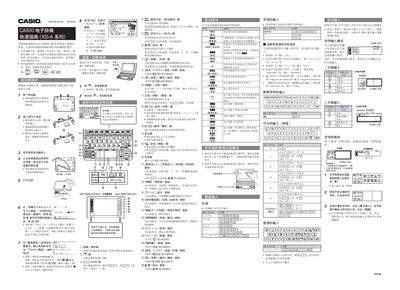
This guide provides step‑by‑step instructions for the first use of Casio XD‑A series electronic dictionaries, including battery installation, power on/off, and basic navigation. Illustrations mainly refer to the XD‑A8500 model.
It also explains how to use the handwriting screen, select dictionaries, perform searches, and enable voice output with the optional earphone accessory. This manual is written in Chinese.
| Battery type | Two AA alkaline batteries |
|---|
Open the battery compartment, insert two AA alkaline batteries with the correct polarity, and close the cover.
Press the power button or the dictionary/mode key to toggle the device on or off.
Connect the supplied earphones to the headphone jack on the left side of the device, then press the voice key to hear pronunciation.