
Quick start guide for the 3M Littmann TeleSteth System, covering USB Bluetooth setup, software launch, stethoscope pairing, and remote auscultation session…
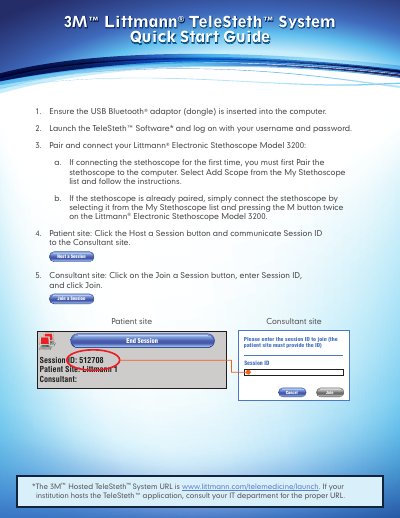
This guide walks users through connecting a USB Bluetooth adapter, launching the TeleSteth software, and pairing the Littmann Electronic Stethoscope Model 3200. It explains how to host or join a remote listening session using a Session ID. The guide also includes tips for improving sound quality and avoiding Bluetooth errors during use.
The system enables real-time audio streaming between a patient site and consultant site, with features like filter modes (bell, diaphragm, extended range) and on-screen torso images to indicate auscultation locations. This manual is written in Chinese.
Focus the point of contact with the patient on the very center of the chestpiece, hold the stethoscope lightly, remain steady, and start the exam at a lower amplification level.
The bell filter emphasizes lower frequencies for heart sounds, the diaphragm filter emphasizes higher frequencies for lung sounds, and the extended range filter emphasizes both.