
This guide describes how to set up the keyboard and mouse, connect the network cable, connect the power cord and turn on the computer, finish Windows setup, enable security and updates, sign in to your Microsoft account or create a local account, connect to your network, and explore resources.
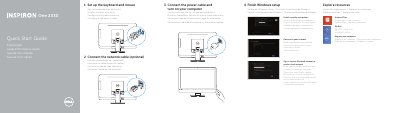
This document serves as a multilingual quick start guide for the Dell One 2330 All-in-One Desktop. It provides step-by-step instructions for setting up the keyboard and mouse, connecting the network and power cables, and completing the Windows setup process. The guide also instructs users on how to enable security and updates and sign in to their Microsoft account.
| Product Type | Computer |
|---|---|
| Power Voltage | 100 V CA–240 V CA |
| Frequency | 50 Hz–60 Hz |
| Input Current Consumption | 2,90 A |
| Country of Origin | China |
You can find product support and manuals at dell.com/support or dell.com/support/manuals.
The computer model is Inspiron One 2330.
The voltage is 100 V AC–240 V AC.
The frequency is 50 Hz–60 Hz.