
This guide describes how to set up and use your Lenovo tablet.
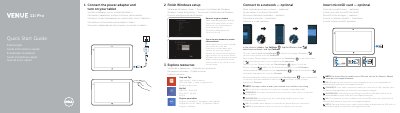
This quick start guide covers initial setup for the Dell Venue 7130/7139 tablet, including finishing Windows setup, connecting the power adapter, and turning on the tablet. It also explains optional network and microSD card steps, account sign-in, registration, and where to find product support and manuals.
The guide includes a numbered features diagram, optional stylus information, regulatory and safety details, and multilingual instructions in English, Dutch, French, German, Italian, and Spanish.
| Tablet model | Venue 7130/7139 |
|---|---|
| Regulatory model | T07G |
| Input voltage | 100 V AC–240 V AC |
| Input current (maximum) | 1.00 A–1.30 A |
| Input frequency | 50 Hz–60 Hz |
| Output current | 1.2 A / 1.54 A |
| Output voltage | 19.5 V DC |
In the charms sidebar, tap Settings, tap the Wireless icon, select your network, and tap Connect. You may need to activate your network service before connecting.
The guide lists inserting a microSD card as an optional step. For instructions to install a micro-SIM card, refer to the Owner’s Manual on www.dell.com/support/manuals.
Product support and manuals are available at dell.com/support and dell.com/support/manuals.
The stylus is listed as optional.