
Dell Bluetooth Keyboard Folio WK415 Quick Start Guide.
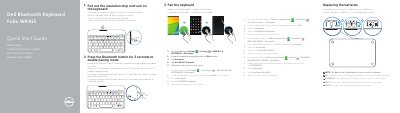
This is Dell's Quick Start Guide for the Bluetooth Keyboard Folio WK415, presented in English, Dutch, French, Portuguese and Spanish. It shows how to pull out the insulation strip and turn the keyboard on, then how to put the keyboard into pairing mode by pressing the Bluetooth button for three seconds and pair it with a tablet through Settings → WIRELESS & NETWORKS → Bluetooth by tapping "Dell WK415 Keyboard".
The guide also covers replacing the batteries (which are installed when you receive the keyboard), the action menu and shortcut keys (search, brightness, back, mute audio, volume, play/pause and track selection), a numbered list of features from the home key and battery tray to the stylus holder and tablet stand/flip cover, and Dell product support, contact and regulatory information including regulatory model K07M and type K07M001.
| Regulatory model | K07M |
|---|---|
| Regulatory type | K07M001 |
| Battery installation | Batteries are installed when the keyboard is received |
| Document date | 2014-03 |
Press the Bluetooth button for 3 seconds to enable pairing mode.
On the tablet open All Apps → Settings → WIRELESS & NETWORKS → Bluetooth, turn Bluetooth on, tap Bluetooth, then tap "Dell WK415 Keyboard" and follow the on-screen instructions.
Yes. The batteries are installed when you receive the keyboard.
Pull out the insulation strip and turn on the keyboard.