
Inspiron 15-3558 Laptop Quick Start Guide
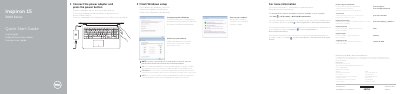
This is Dell's printed quick start guide for the Inspiron 15-3558 computer, also labeled Inspiron 15 3000 Series on the cover. The text is given in English, Dutch, French and Spanish. It walks through connecting the power adapter and pressing the power button, finishing Windows setup, setting a Windows password, connecting to a network (including entering the password for a secured wireless network), and protecting the computer, with a pointer to Dell Help Documentation under Start → All Programs for features and advanced options.
The second page lists the computer's features by number, from microphone and camera to the power-adapter port, network port, HDMI port, USB 3.0 port, media-card reader, USB 2.0 ports, headset port, security-cable slot, power button, battery and labels. It also shows the shortcut keys (mute, volume, playback, external display, search, brightness), Fn-key and wireless toggles, sleep, and support and regulatory links, plus Mexican NOM information listing model P47F, input and output power ratings, and country of origin.
| Computer model | Inspiron 15-3558 |
|---|---|
| Regulatory model | P47F |
| Regulatory type | P47F001 |
| Input voltage | 100 V AC–240 V AC |
| Input frequency | 50 Hz–60 Hz |
| Input current | 1.30 A / 1.60 A / 1.70 A |
| Output voltage | 19.50 V DC |
| Output current | 2.31 A / 3.34 A |
| Country of origin | Made in China |
Dell lists product support and manuals at dell.com/support and dell.com/support/manuals.
Click Start → All Programs → Dell Help Documentation.
Enter the password for the wireless network access when prompted.
The regulatory model is P47F and the regulatory type is P47F001.