
This document describes how to use Windows 10.
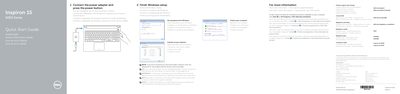
This is the quick start guide for the Dell Inspiron 15 5000 Series laptop, covering the regulatory model P51F and the computer models Inspiron 15-5558 and Inspiron 15-5551. It walks through first-time setup: connecting the power adapter and pressing the power button, finishing Windows setup, connecting to a network, setting a password for Windows and protecting the computer.
The guide also lists the computer's features and ports with numbered callouts, describes the shortcut keys for audio, display, brightness, wireless and sleep functions, and gives Dell support, contact and regulatory information, including the NOM details for Mexico. The text is printed in English, Dutch, French, Portuguese and Spanish.
| Regulatory model | P51F |
|---|---|
| Regulatory type | P51F001, P51F003 |
| Computer model | Inspiron 15-5558, Inspiron 15-5551 |
| Input voltage | 100 V AC–240 V AC |
| Input frequency | 50 Hz–60 Hz |
| Input current | 1.30 A / 1.60 A / 1.70 A |
| Output voltage | 19.50 V DC |
| Output current | 2.31 A / 3.34 A |
| Country of origin | Made in China |
Connect the power adapter and press the power button, then finish the Windows setup.
The guide covers the Inspiron 15-5558 and Inspiron 15-5551.
Click Start, then All Programs, then Dell Help Documentation.
Enter the password for the wireless network access when prompted.