
This guide describes how to connect the network cable, display, power cord, keyboard, and mouse.
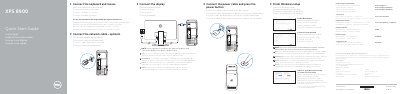
This two-page quick start guide covers the initial setup of the Dell XPS 8900 desktop computer. It shows how to connect the network cable (optional), connect the display, connect the power cable and press the power button, and connect the keyboard and mouse, with a note to connect the display to the discrete graphics card if one was ordered.
The guide then walks through finishing Windows setup, enabling Dell updates, connecting to a network, and signing in with a Microsoft account or a local account. It also lists the front and back features of the computer with numbered callouts, and points to Dell SupportAssist, registering the computer, creating recovery media, locating Dell apps, and the Dell support, contact and regulatory web pages. Instructions are printed in English, Dutch, French, Portuguese and Spanish; a NOM (Norma Oficial Mexicana) notice gives the regulatory model D14M and electrical ratings.
| Computer model | XPS 8900 |
|---|---|
| Regulatory model | D14M |
| Regulatory type | D14M002 |
| Input voltage | 100 VAC–240 VAC |
| Input frequency | 50 Hz–60 Hz |
| Input current | 8.0 A |
| Country of origin | Made in China and Mexico |
| Front USB 3.0 ports | 2 |
| Rear USB 3.0 ports | 4 |
| Video outputs | DisplayPort and HDMI |
Connect the display to the discrete graphics card rather than to the onboard connector.
In Windows search, type Recovery, click Create a recovery media, and follow the instructions on the screen.
Dell lists product support, manuals, Windows support, contact details and regulatory compliance at its support web pages.
The regulatory model is D14M and the regulatory type is D14M002.