
Dell Inspiron 3721/5721 Computer Quick Start Guide

This document describes the features and advanced options of Dell computers.
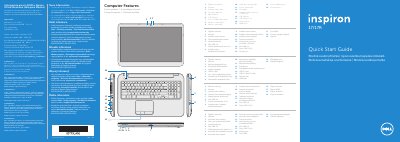

Dell Inspiron 3721/5721 Computer Quick Start Guide - cover page
Brand
DELL
Category
Laptops
Document type
Quick Start Guide
Language
English
Pages
2
File format
PDF
File size
892 KB
Published
26 November, 2023
Updated
26 November, 2023
MD5 checksum
5746CA3EC64025B61A2B88E598BCC884

About this manual

This Dell quick start guide covers the Inspiron 3721/5721 computer and includes regulatory information for Dell México S.A. de C.V.

It lists computer features such as the digital microphone, camera, USB ports, and HDMI port, explains function keys for display, wireless, touchpad, brightness, media playback, volume, and audio, and provides setup steps including connecting the power adapter and network cable.

What's inside

  • More Information
  • Computer Features
  • Quick Start Guide
  • Function Keys
  • Connect the network cable
  • Connect the power adapter
  • Press the power button
  • Record your Windows password
  • Complete Windows setup
  • Locate your service tag/regulatory labels

Specifications

Regulatory modelP17E
Input voltage100 – 240 V AC
Input frequency50 – 60 Hz
Output voltage19.50 V DC

Frequently asked questions

What is the regulatory model for this Dell computer?

The regulatory model is P17E.

What is the input voltage range?

The input voltage is 100 – 240 V AC.

Where can Dell Help Documentation be found?

It is available under Start → All Programs → Dell Help Documentation or at support.dell.com/manuals.

Download PDF (892 KB)

More DELL Manuals


View all DELL manuals →