
Dell Inspiron 15 3000 Series Laptop Quick Start Guide.
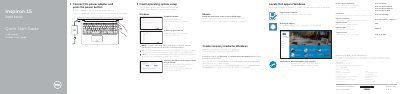
This quick start guide for the Dell Inspiron 15 3000 Series laptop explains initial setup: connect the power adapter and press the power button, finish operating system setup, enable Dell updates, connect to a network, and sign in to a Microsoft account or create a local account. It also covers locating Dell apps in Windows and creating recovery media for Windows.
The guide lists the computer's features with numbered callouts, including the microphone, camera, ports, touchpad click areas, battery, and Service Tag label. It describes shortcut keys and provides Dell support, manual, contact, and regulatory and safety links.
| Input voltage | 100 V AC–240 V AC |
|---|---|
| Input frequency | 50 Hz–60 Hz |
| Input current | 1.30 A/1.60 A/1.70 A |
| Output voltage | 19.50 V DC |
| Output current | 2.31 A/3.34 A |
| Computer model | Inspiron 15-3559 |
| Regulatory model | P47F |
Connect the power adapter and press the power button.
In Windows search, type Recovery, click Create a recovery media, and follow the instructions on the screen.
Enter the password for the wireless network access when prompted.
Dell.com/support and Dell.com/support/manuals.